
Units in Interactive Schedules
Numerical values displayed in a schedule can be
•Editable dimensions (such as height), or
•Calculated values (such as volume)
Choose preferred units to display these values in your project schedules
Units for editable dimensions: See Dimensions Preferences
An editable value (such as height) uses the units defined on the Dimensions page of Project Preferences.
Units for calculated values: See Calculation Units Preferences
A calculated value (such as volume) uses the units defined on the Calculation Units page of Project Preferences.
Custom properties, too, are calculated values and use Calculation Units.
See Calculation Units Preferences.
Fields with non-editable values are listed in Scheme Settings in black type.
Fields with editable values are listed in Scheme Settings in blue type.
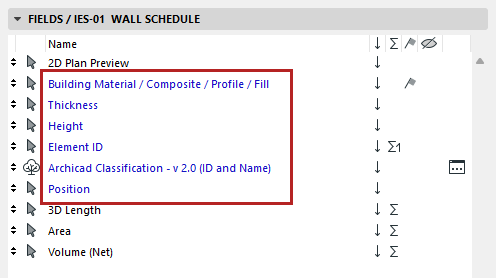
Fields in blue are editable in the schedule
Show units for Totals and Grand Totals