Open Recent Project(s)
Do one of the following:
- From a running program:
- Use File > Open
- Select a recent project from the pop-up
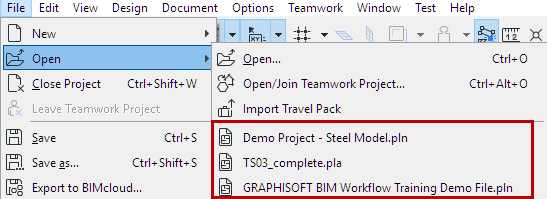
- From the Start dialog: Select one or more recent projects (see
below)
To open the Start dialog, do one of the following:
Start Dialog: List of Recent Projects
The Start dialog lists the projects, including Teamwork and module (.MOD) files, that have been opened by the program.
To see all recent projects, do one of the following:
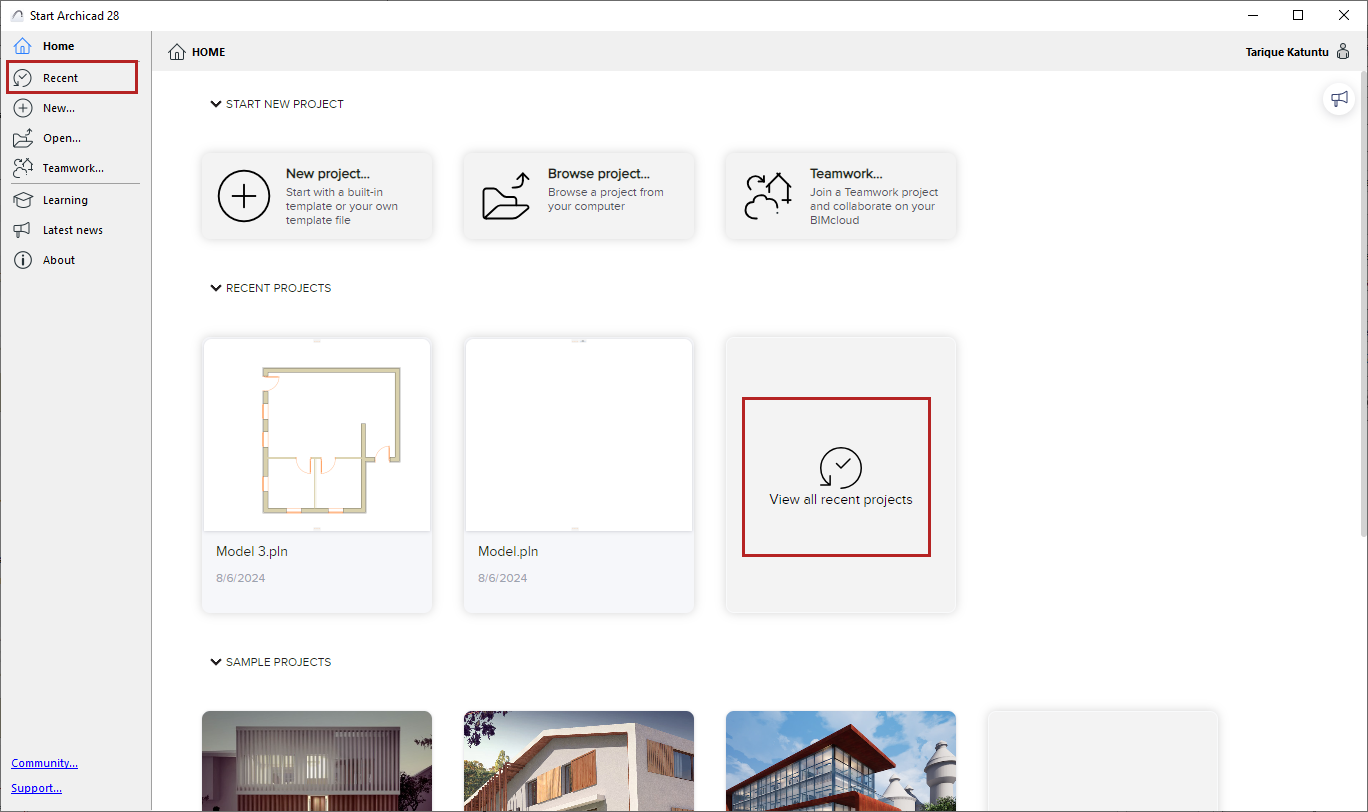
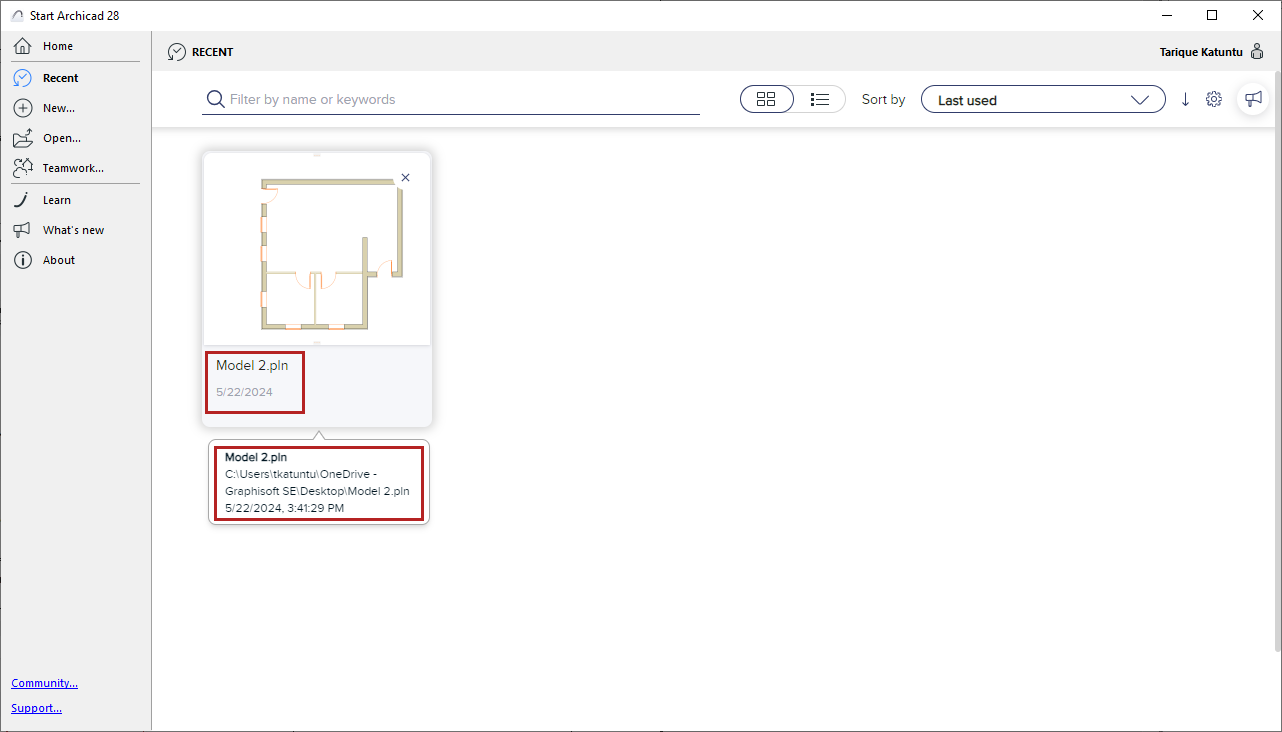
Hover over a project to see its Project Info
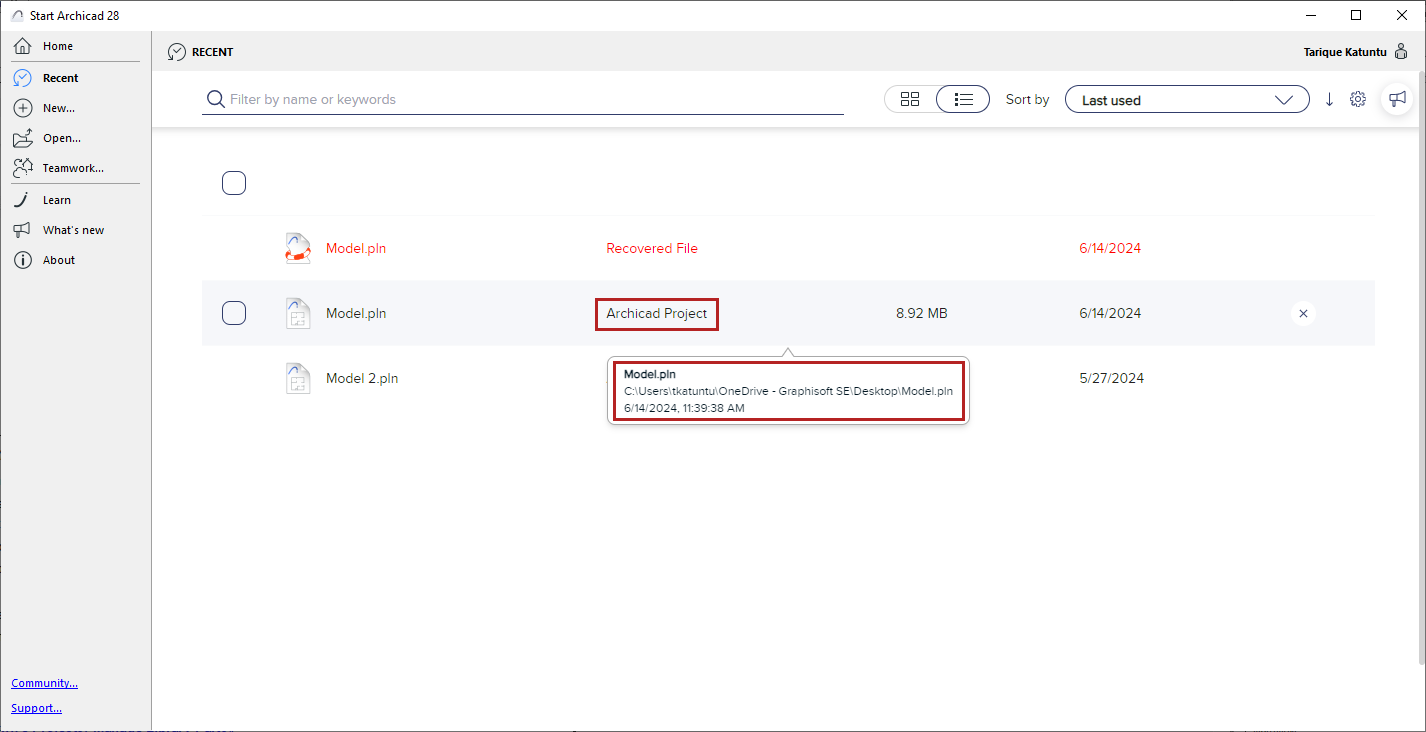
- Recovery files are in red text
- Not Available: The project is located on an external drive or network that is not currently available
- Remove a project from the Recent List: Click Delete, Backspace, or the blue X
In List view:
- Sort by name, last used, size or file type, in ascending or descending order
- Filter projects by name, keyword, or other Project Info data