Export attributes
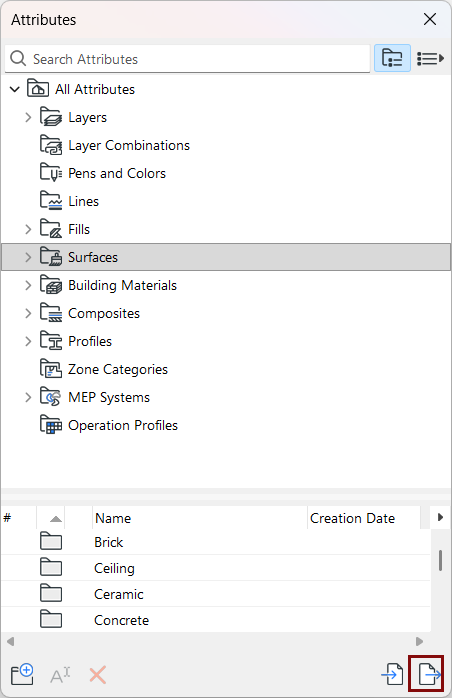
Use the Export function from Attributes palette to save selected attributes, or the contents of a selected folder, in two possible formats: XML or text.
Note: In addition to the Attributes palette, the Attribute
Manager dialog box (familiar from earlier Archicad
versions) is available. In more complex import/export workflows, you might prefer its
two-panel interface to compare two lists of attributes. See Attribute Manager.
In Attributes:
- Select the attributes and/or folders to export.
- Click the Export button
- In the appearing dialog: Choose to export to either a local folder or to BIMcloud.
- Check the box to Include Associated Attributes, if needed. (See
Associated attributes.)
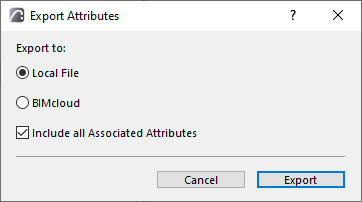
- Click Export.
- Choose a file format:
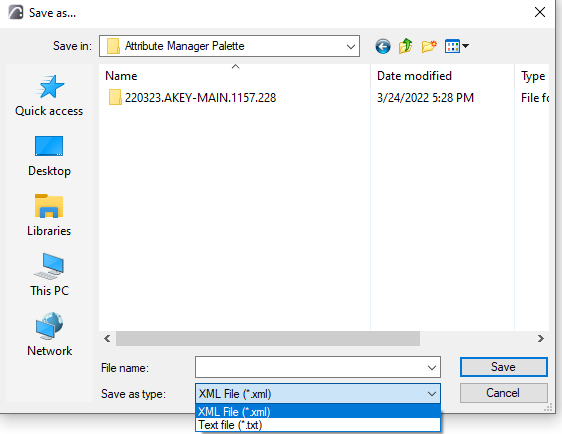
- XML: Use this to transfer attributes among projects
- Text (.txt): This can be useful with the Replace Attributes by
File function, which automates the process of deleting and replacing attributes. This
function requires generation of a text file in a particular format, and running a command
that calls this file.
See a description of this process at Attribute Migration article.