Offset and Multiple Offset Constraints (Relative Construction Methods)
The Offset Constraint and Multiple Offset Constraint methods help you create elements offset from a reference line, using any tool that has a linear or polygonal input method.
- Activate the tool with which you want to draw the new element.
- Choose or activate the Offset command using one of the following methods:
- the drop-down menu of the Drafting Aids toolbar
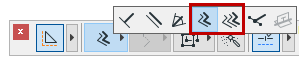
- Control Box (see Control Box )
- the drop-down menu of the Drafting Aids toolbar
- Draw a reference line (e.g. parallel to an existing element). The cursor displays the offset or multiple offset icon.
See Magic Wand.
- A rubber band outline appears; drag the cursor to the final location of the new element.
- If you are using the regular Offset command: Click once to place the element.
- If you are using Multiple Offset: Drag and click as many times as the number of elements you wish to place; double-click, or click Cancel in the Control Box, to place the final element.