Electrical Project Settings
Use this dialog to set project-level electrical settings.
Open the dialog:
- using the Options > Project Preferences > Electrical Project Settings menu command, or
- from the MEP toolbar.

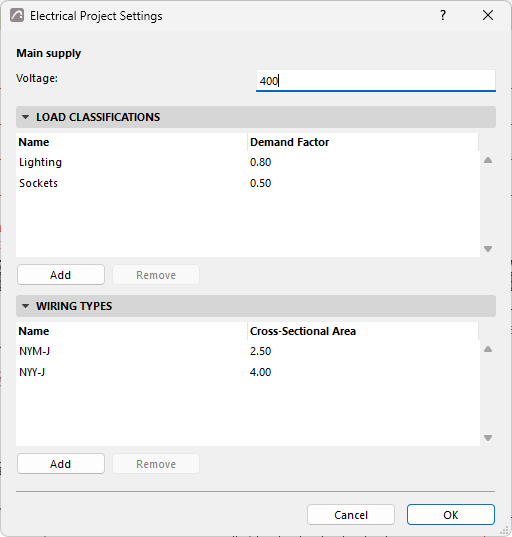
Main supply
Set the Voltage (in Volts - V) of the project’s main electrical supply.
Load Classifications
Specify the load classes used by electrical devices in the project. For each classification, specify Name and Demand Factor.
Note: Demand Factor is typically a numeric value between 0
and 1. It describes the extent to which multiple loads or groups of loads are realistically
subject to demand at the same time - compared with the theoretical maximum (installed) power
that would result if all loads operated simultaneously at full load. In calculations, the
Apparent power (volt-ampere - VA) of Electrical devices is multiplied by Demand
Factor to get the value of the Demand Load (also volt-ampere - VA) parameter of
individual electrical devices:Demand Load = Apparent power * Demand Factor (e.g., 15 VA *
0.8 = 1.2 VA).
Wiring types
Specify wiring types used by circuits in the project. For each, specify its Name and Cross-Sectional Area (in square millimeters).