Set Up Adjustment Rules
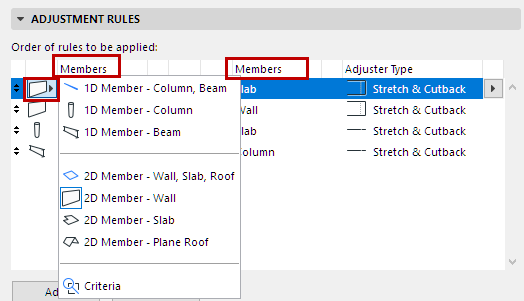
- Define the two Groups of Members: Elements by type or criteria (see Members in Adjustment Rule below)
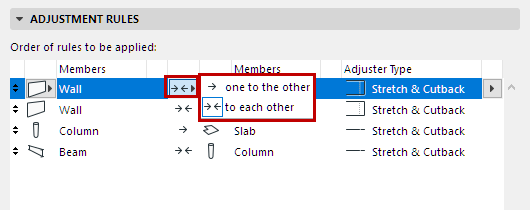
- Define the Rule Method (see Adjustment Rule Methods: One to the Other, or To Each Other below)
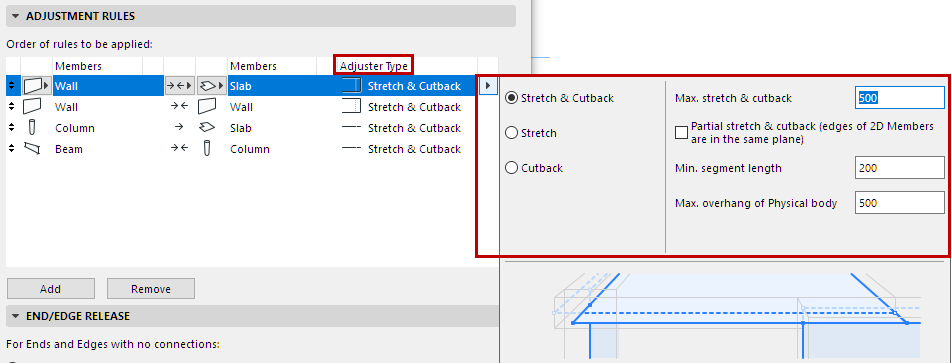
- Set the Adjuster Type.
- Set additional options depending on the specific adjuster
See Adjuster Types and Options for details.
Notes on Adjustment Rules
- Rules are applied in the order they are listed, and they are all carried out. You can drag rules to change their order.
- Generally, the Offset rules come at the top of the list: They are used not to create connections per se, but to line up the elements so that the rest of the rules (Stretch, Cutback) can work as needed.
- Hover over any Adjustment Rule to see an info pop-up, showing its parameters and a preview.
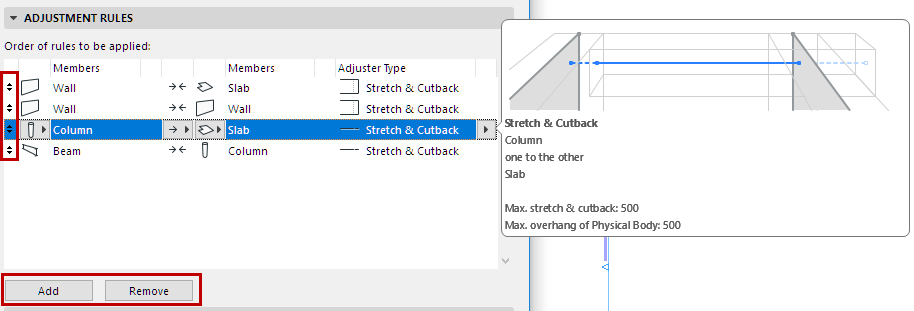
- Use the buttons at the bottom of the Adjustment Rules panel to Add or Remove rules.
Members in Adjustment Rule
Members of an Adjustment Rule can be
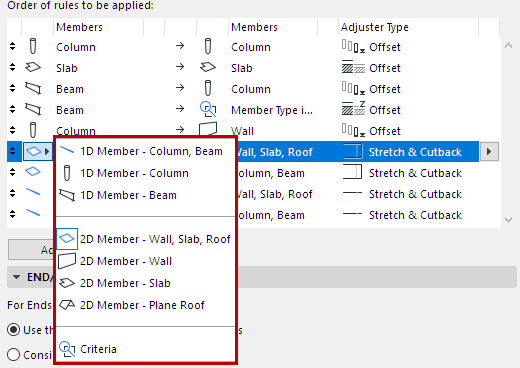
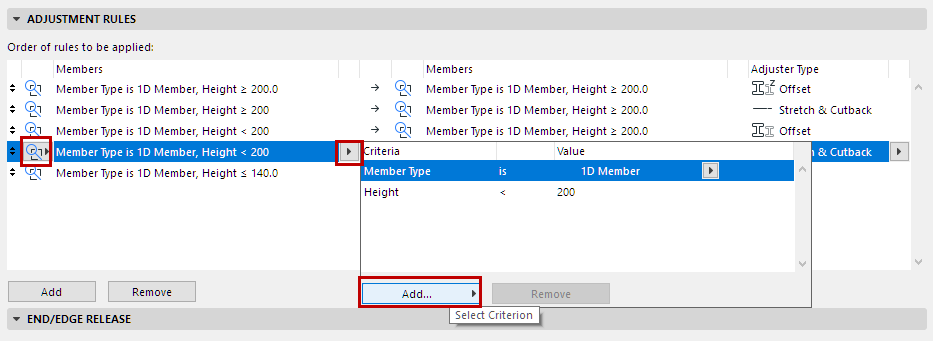
Adjustment Rule Methods: One to the Other, or To Each Other
This control sets how the adjustment should affect the two Member groups in the Adjustment Rule.
- One to the other:
 The Members in the left column are modified; the Members in the right column remain unchanged. Use this method to Stretch and/or Cutback, or Offset one group of elements to each other. The Offset and Snap adjusters always use this unidirectional method.
 - To each other
:
 Members in both categories are affected. Use this method to Stretch and/or Cutback two groups of elements to each other.
See the following sections for details and examples: