Material Mapping - Export
Go to File > Interoperability > SAF > SAF Translators.
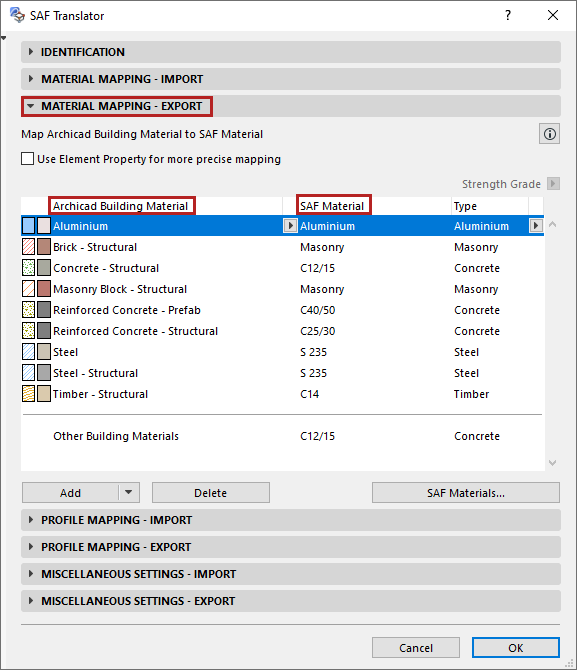
Use the Material Mapping - Export panel to map Archicad Building Materials to their exact counterparts (“SAF Material”) in the receiving software.
You can map each Archicad Building Material by name to a specified SAF Material.
See Map Archicad Building Material (By Name) .
Any Building Material that is not mapped by name uses the default specified at “Other Building Materials” - this is a catch-all definition.
Material mapping definitions in this panel apply to the following exported Archicad structures:
- All 2D Members
- 1D Members with Rectangular and Circular Profile
- Complex Profiles that are exported as “General” Types in the Profile Mapping panel. (These have no corresponding named SAF Cross-Section which would include a material.)
- For all other Archicad Complex Profiles: Material mapping does not apply. These Complex Profiles are mapped by name (in the Profile Mapping panel) to a corresponding SAF Cross-Section, which includes a material definition.