Thermal Blocks Tab Page
For Energy Evaluation purposes, you will group Archicad Zones together in “thermal blocks”. Thermal blocks are a collection of one or more rooms or spaces in a building that have similar heating or cooling requirements - also called thermostat control requirements. Thermal blocks are represented by groups of 3D Zones in the Archicad Building Energy Model.
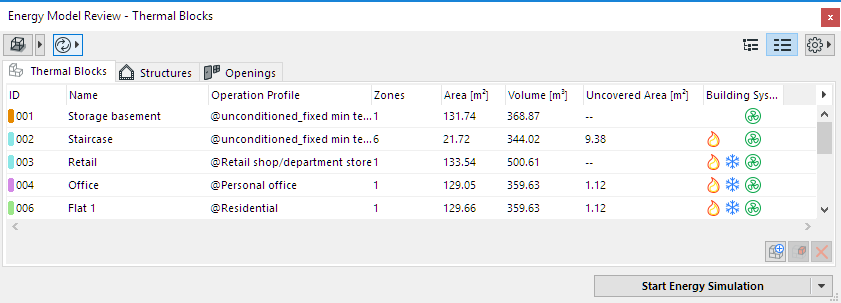
The Thermal Blocks page of the model Review Palette lists thermal blocks with all their relevant properties.
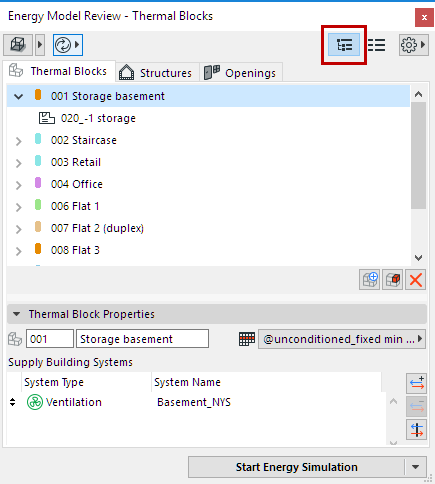
In Tree View, users can see the Zones that make up the thermal blocks as well, if they select the dropdown arrow by the thermal block’s name. If a thermal block is selected, its properties are displayed on the bottom of the page, in the Thermal Block Properties section.
Create Thermal Blocks
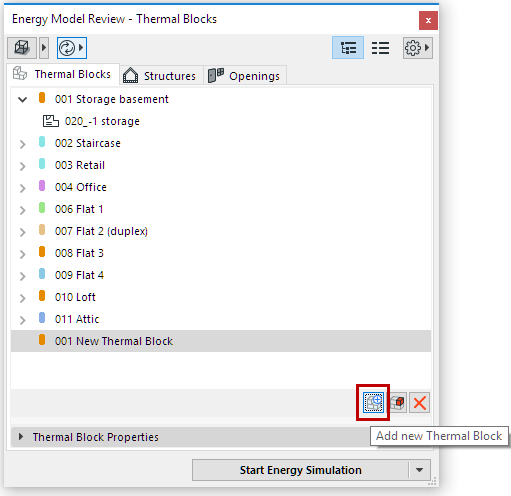
Use the Add new Thermal Block button to create a new thermal block. Its name and ID can then be entered in the list.
To assign Zones to the thermal block:
Thermal Blocks Data
The Thermal Blocks tab page can be viewed in either table or tree form. There are two kinds of data types on this page: