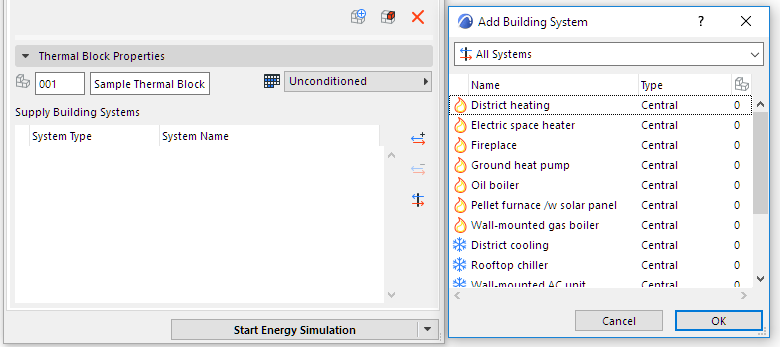
Thermal Block Property Settings (Energy Evaluation)
In order to enable the energy simulation for Energy Evaluation, it is necessary to define three property sets for each thermal block individually. These key thermal block property sets are: Space Zones, Operation Profile and a set of Building Systems.
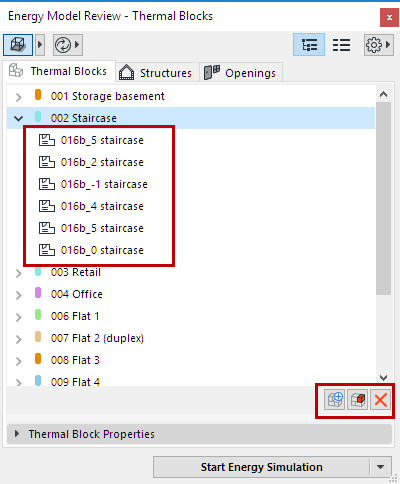
Use the control buttons below the thermal blocks tree to add or remove Archicad Zones from the selected thermal block, as well as to create a new thermal block.
- An Operation Profile that describes how the thermal block will be used.
See Operation Profiles (Energy Evaluation).
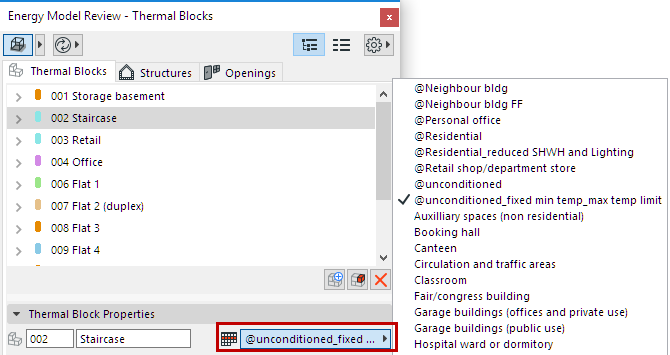
Click the Assign Operation Profile button to select an operation profile that fits the selected thermal block’s function.
- A set of Building Systems that maintain the comfort requirements defined by the Operation Profile.
See Building Systems (Energy Evaluation).
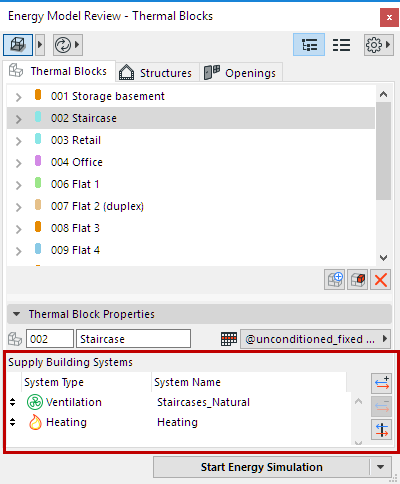
Use the control buttons next to the list of Supply Building Systems to add or remove systems from the list.