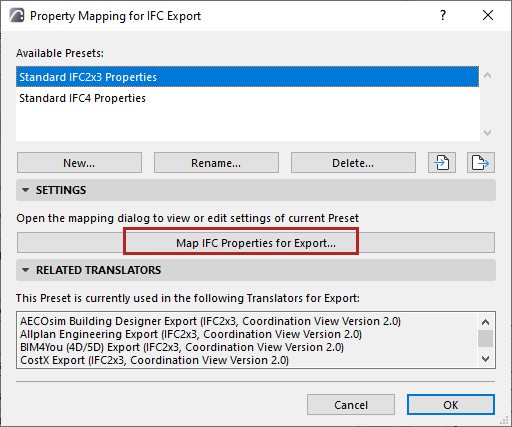
Choose a Translator for Export and open the Property Mapping preset.
From this preset dialog, click the Map IFC Properties for Export to
access the mapping definitions.
These mappings define the IFC properties assigned to exported
elements.
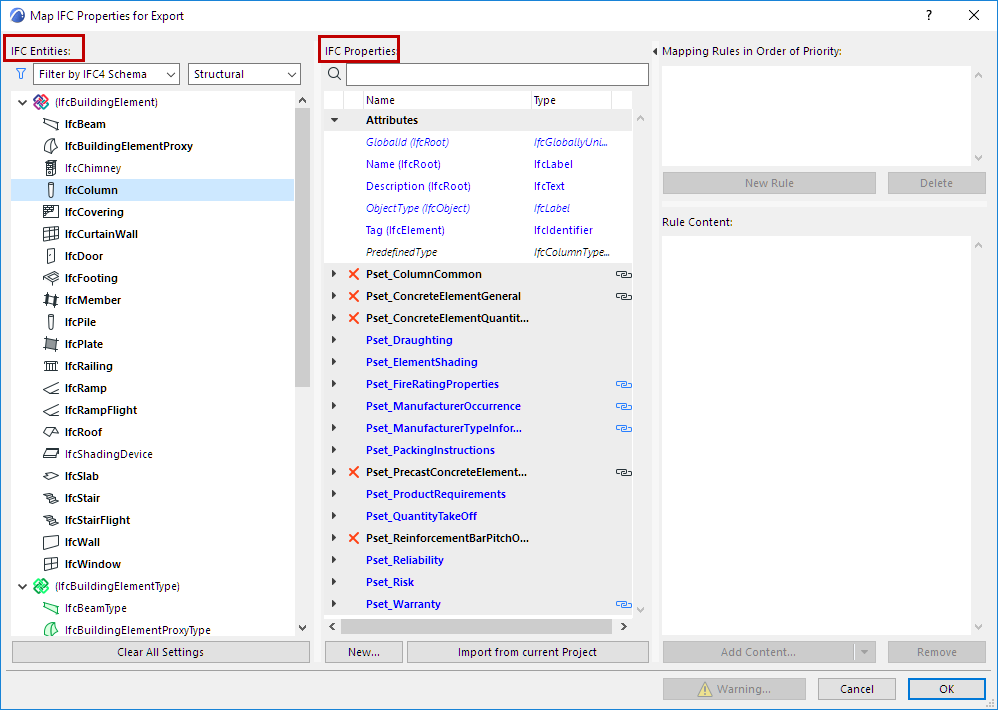
Tree list of IFC Entities
IFC Entities are listed in the tree at left.
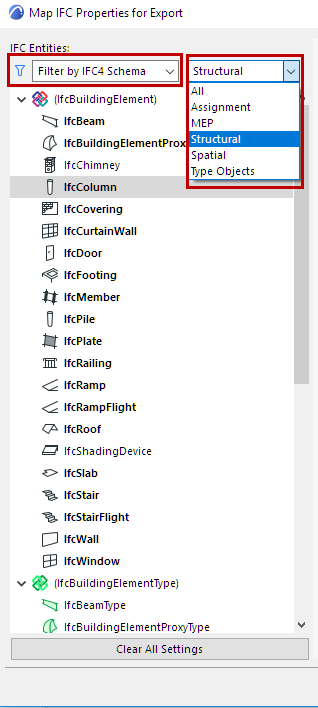
Use the pop-ups if needed to filter the tree list:
filter by Schema (IFC2x3, IFC4, or IFC4.3)
Note: A parent entity, if it can be used for property
mapping, will be displayed even if it does not belong to the Schema in the current
filter
filter by domain (Structural or MEP). For example, the Structural
domain contains the building element (IfcBuildingElement) types (IfcBeam, IfcColumn,
etc.), while the MEP domain contains the IfcDistribution types.
filter by IFC Assignment types, IFC Type Objects, or IFC Spatial
element types (IfcSpatialStructureElements: IfcSite, IfcBuilding, IfcBuildingStorey
and IfcSpace).Figure 1. Filter IFC Entities in Tree List
Note: IFC Entities in parentheses are necessary
to the IFC Schema, but have no Archicad
elements assigned to them
directly.
List of IFC Properties
The IFC Properties of each selected entity are listed in the IFC
Properties column.
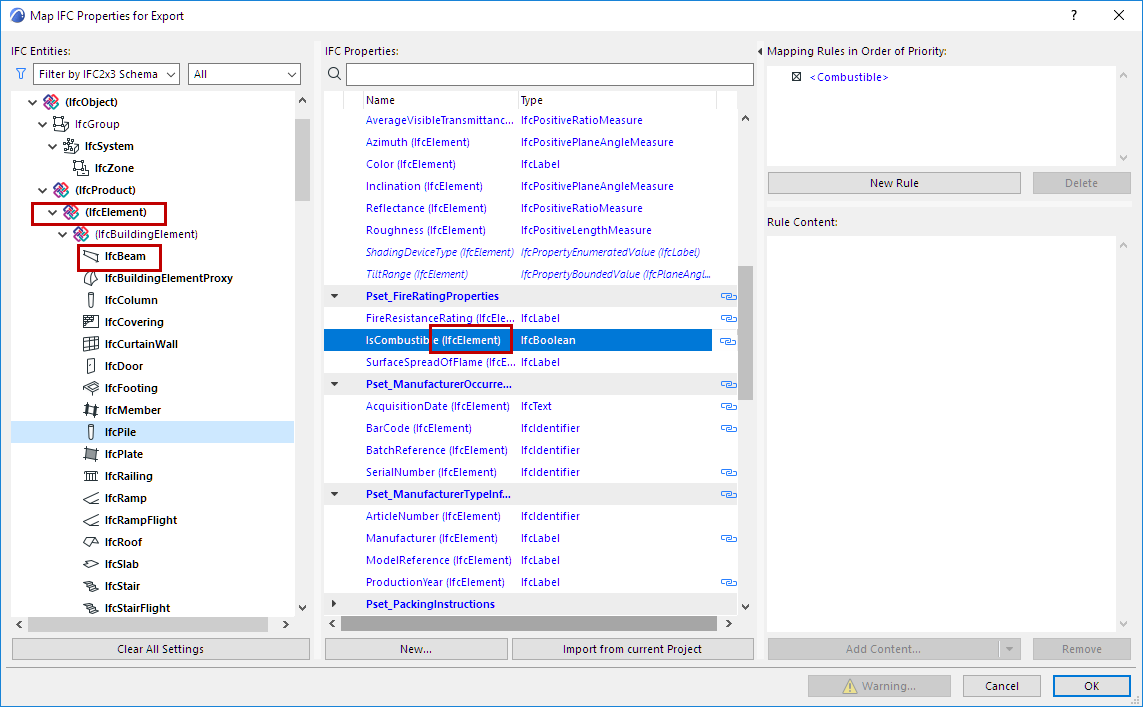
Property data assigned to a parent element (such as IfcElement) are
automatically assigned to all its child elements (e.g. IfcBeam, IfcColumn, IfcSlab,
IfcWall, etc.)
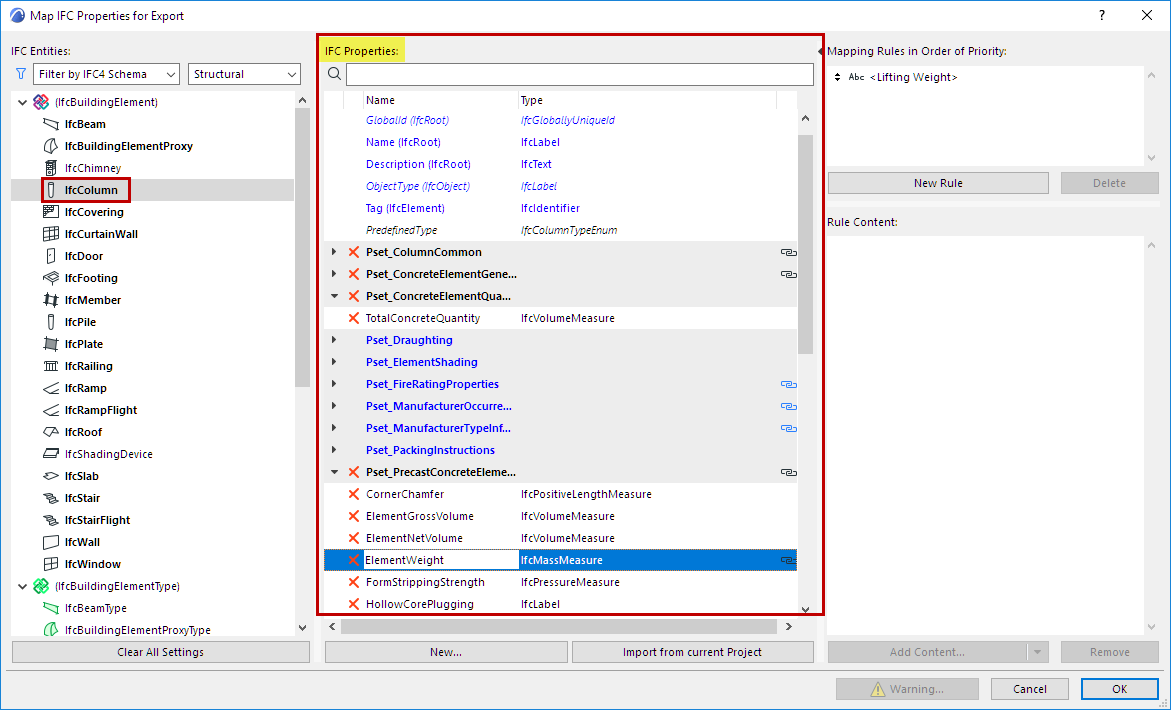
X: Delete any data item by clicking the red X. Attributes
cannot be deleted.
BOLD TYPE: IFC Entities which have property set data assigned
to them are shown in BOLD.
BLUE TYPE: Properties of a child element are shown in blue type. You
can see its parent type name in parentheses.
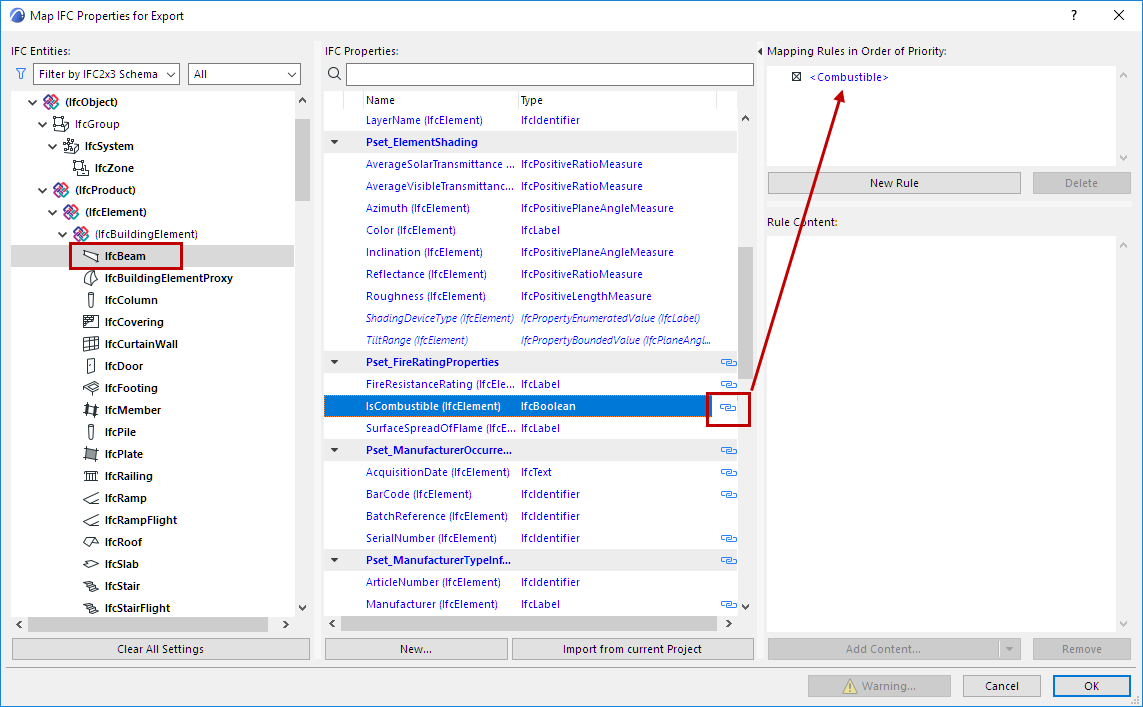
Chain icon: Indicates that the property has a mapping rule. View its
mapping rule at the right side of the dialog box.
Property assignment can be modified only at the parent level.
Thus, to create a common property for all building elements, you don’t have to create it for
every single building element type (IfcWall, IfcColumn, IfcSlab, etc.): instead, create it
once at a higher level (e.g. at IfcElement).
Add New Property/Classification Reference
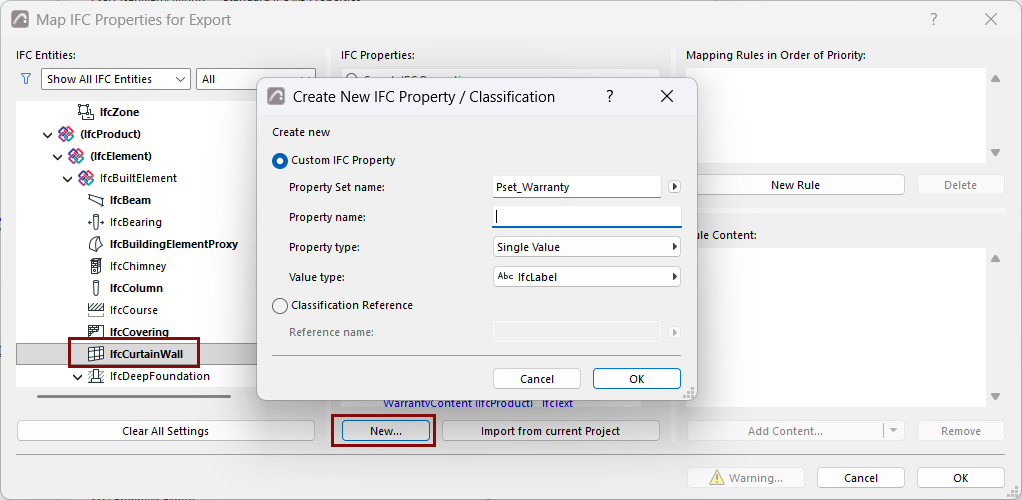
You can create a custom property for all elements of a particular IFC type.
You may have created custom IFC properties for individual elements,
through either IFC Project Manager or the element settings dialog. To add those custom
properties to the Property Mapping dialog, click Import from current Project.
Note: If a custom property assigned to an IFC element type (for
example IfcWall) is not yet available in the current project, it is not displayed in the IFC
management dialogs until one instance of the type has been defined in the model.
Clear All Settings
Delete the entire contents (mapping rules, Properties and Classification
References) of the current Property Mapping Preset.