Monochrome Model (Cineware Effect)
This effect is available in the Detailed view of PhotoRendering Settings for the Cineware engine.
Check the Monochrome Model box to apply a single color to the model, replacing individual surface colors.
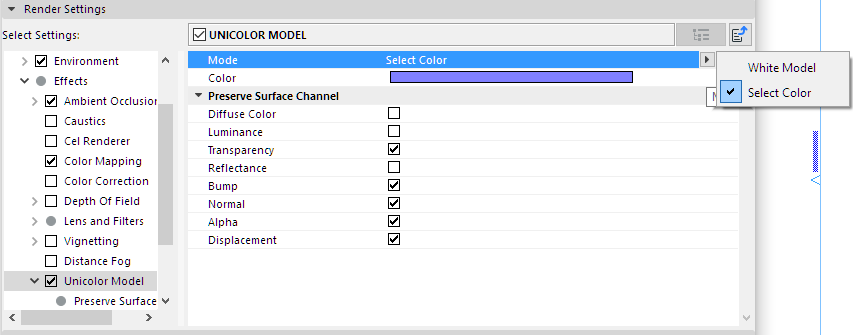
Preserve Surface Channel
Check the Surface Channel effects that you want to include in the model display for rendering.