Surfaces (Cineware)
Open the Surfaces dialog:
From Engine Settings, choose Cineware and Redshift. This means that the surface settings here are optimized to work with the Cineware-Redshift PhotoRendering engine.
Important: All surfaces are specific
to the engine for which they are set up. If you change a surface parameter for one engine,
those modifications will not take effect for the same surface parameter if you switch to
another engine.
Note: The Redshift renderer (GPU
based) from Maxon, based on Maxon’s R23 engine, is included in Archicad as a Technology
Preview, with limitations. See Using Redshift
Renderer .
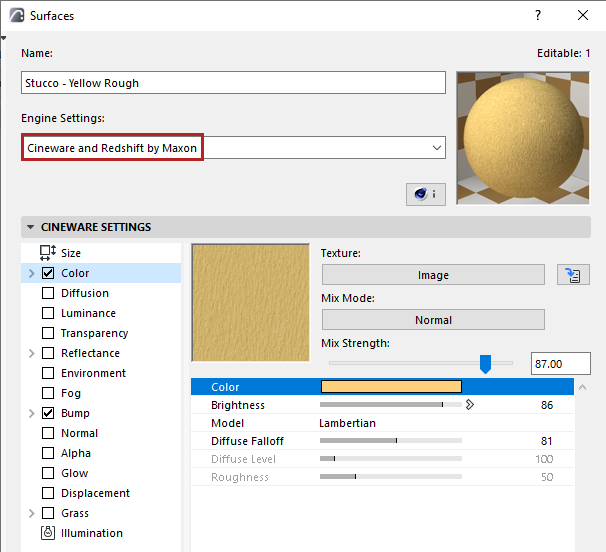
Choose a surface from the pop-up chooser.
For general information, see Using the attribute dialogs.
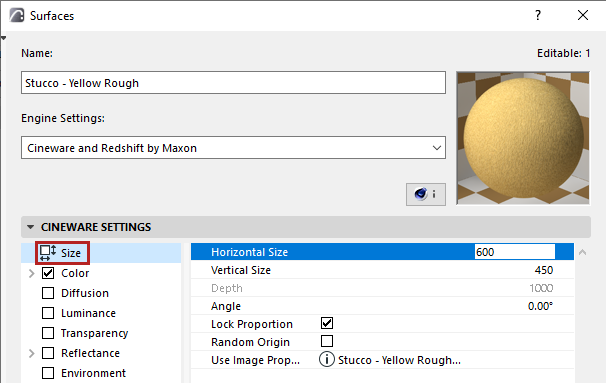
Size settings for surface unit
Define how the surface unit will be scaled on the object to which it is applied.
- Vary the size of the surface unit with Horizontal Size and Vertical Size parameters.
- Adjust the angle of the surface unit (e.g. if it uses a pattern)
- Click Lock Proportion to keep these parameters relatively constant.
- Enable Random Origin to begin the surface pattern at a random point, rather than starting it at the project origin.