Import roles
Import existing role data from another BIMcloud
First, export the roles from the other BIMcloud. For this process, see: Export roles.
Then follow these steps to import the roles file to the current BIMcloud.
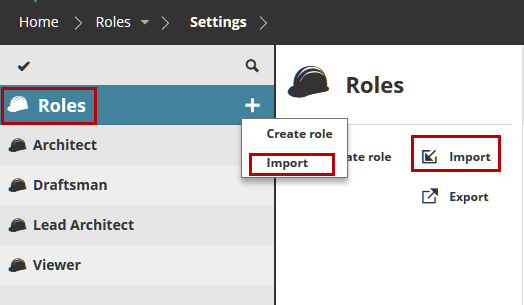
Select the Role root.
Do one of the following:
Click Import from the available functions
Click the Plus button on the Role root, then Import
Browse for the file which contains the roles to import (with extension .bimroles), then click Open.
The role file is imported to the BIMcloud Manager.
If you import a role with the same name as an existing BIMcloud role: the existing role remains unchanged, and the imported role is added with a new (suffixed) name.