Enable public links for your BIMcloud
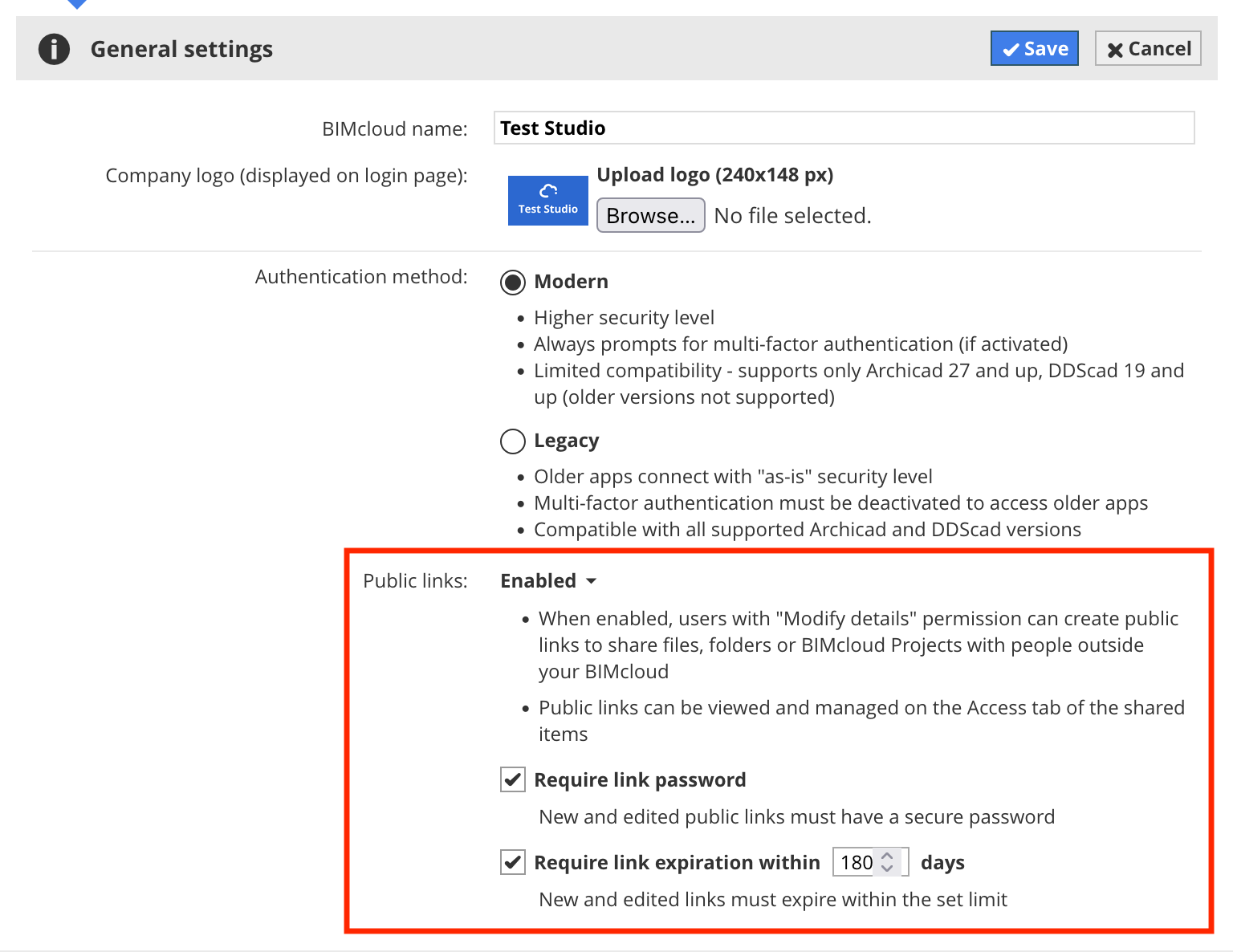
The public links feature is disabled by default. To allow public link sharing on your BIMcloud:
- Go to Servers > BIMcloud Manager > Settings panel.
- At General Settings, click Edit.
- At Public links: click Disabled and switch to Enabled.
- Review the public link protection settings below.
- Click Save to confirm your choice.
After enabling public links, you can manage all public links created across BIMcloud using the Manage links button. Read about managing public links here: Manage all public links across BIMcloud
If you later disable the public links feature, all existing public links will be deleted, and people outside your organization will immediately lose access to the shared links.