Check invitation status
BIMcloud SaaS with key-based licenses
After you invite a user to join your BIMcloud via GSID:
View invitation status and expiration date in User Settings. The invitation expires automatically after 7 days.
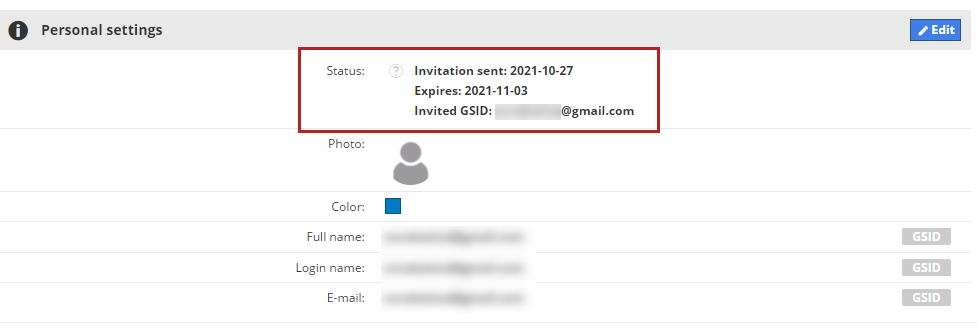
Invitation sent
The user has not yet accepted the invitation. In this case:
You can set up the permissions, teams, etc. for this user
You cannot (yet) assign a GSID-type license to this user
Connected
The user has accepted the invitation, and their status is connected:
The user can login to your BIMcloud with their GSID password
The user gets an “Automatically reserved” license by default (if a license is available)
You can change the user’s license type to any other option
Invitation expired
The invitation was sent, but has expired. The accept link in the email will NOT work anymore. You can click on “Connect to GSID” button and send the invitation again.