Sun Hour Analysis
Sun Study
Sun StudySun Study helps you understand how much sunlight reaches the façades of buildings and other parts of a site over 24 hours on a selected date. It supports early design decisions about building orientation, shading, façade design, room placement, and solar energy potential.
Workflow
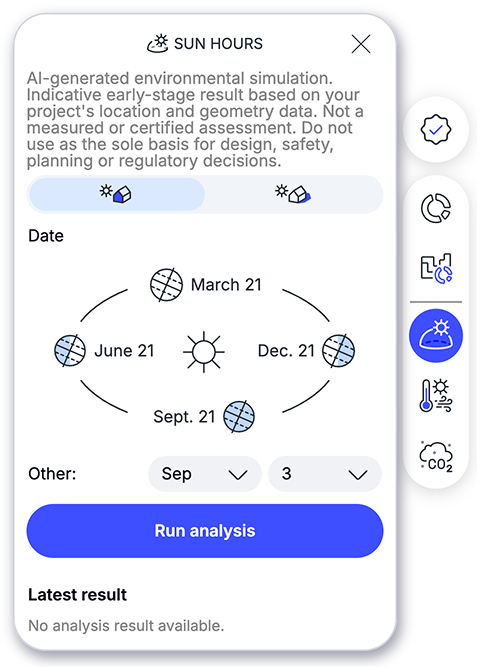
- On the right side of the interface, select
Sun hoursSun hours. - Ensure
Sun StudySun Studyis selected (default). - Set a predefined date (solstice/equinox) by clicking the interactive image or set a target date.
- Click
Run AnalysisRun Analysis. - Completed analyses are saved in the analysis history with the design buildings used at the time of the run.
- Click
Back to Master editorBack to Master editorin the upper right corner of the interface to close the results and continue editing.
The predefined dates represent the two equinoxes and the two solstices. These are useful reference points because they show solar conditions at key moments of the year.
|
Event |
Northern Hemisphere |
Southern Hemisphere |
|---|---|---|
|
March Equinox |
Nearly Equal day and night |
Nearly Equal day and night |
|
June Solstice |
Longest day of the year |
Shortest day of the year |
|
September Equinox |
Nearly Equal day and night |
Nearly Equal day and night |
|
December Solstice |
Shortest day of the year |
Longest day of the year |
Read the sun study results
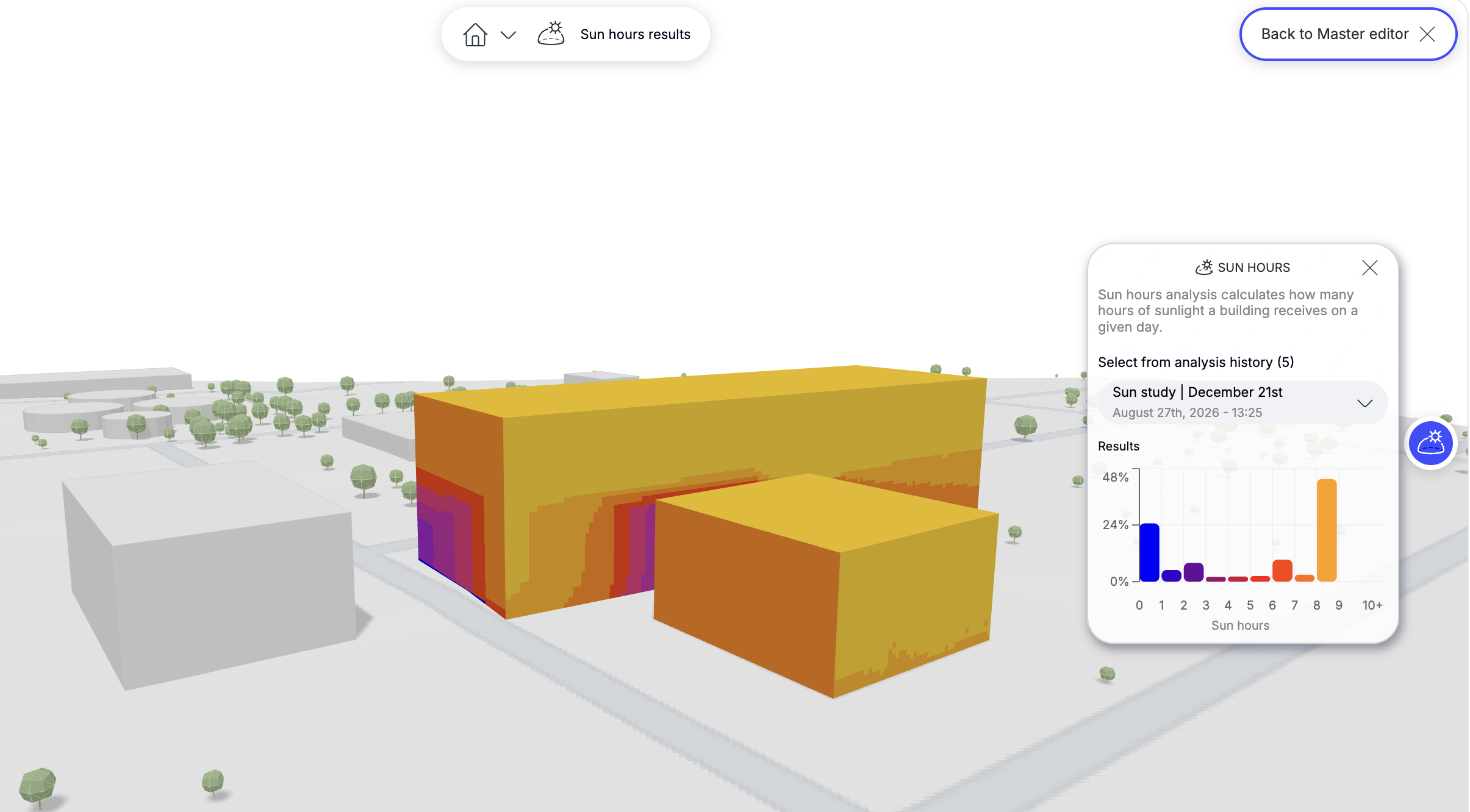
The horizontal axis shows the number of sun hours. The vertical axis shows the percentage of the building envelope—façades and roof combined—that receives that amount of sun.
For example, if the 0–1 hour bar shows 37.7%, it means that 37.7% of the façade and roof surfaces receive up to 1 hour of sun on the selected date. The matching color on the model shows where those surfaces are located.
Shadow Study
Shadow StudyShadow Study is the second solar-type analysis in the program, and it specifically shows what kind of shadow impact the designed Buildings cast on the surrounding environment on a given day and date.
- On the right side of the interface, select
Sun hoursSun hours. - Ensure
Shadow StudyShadow Studyis selected. - Set the target date or choose a predefined date by clicking the interactive image.
- Click
Run AnalysisRun Analysis. - Completed analyses are saved in the analysis history with the design buildings used at the time of the run.
- Click
Back to Master editorBack to Master editorin the upper right corner of the interface to close the results and continue editing.
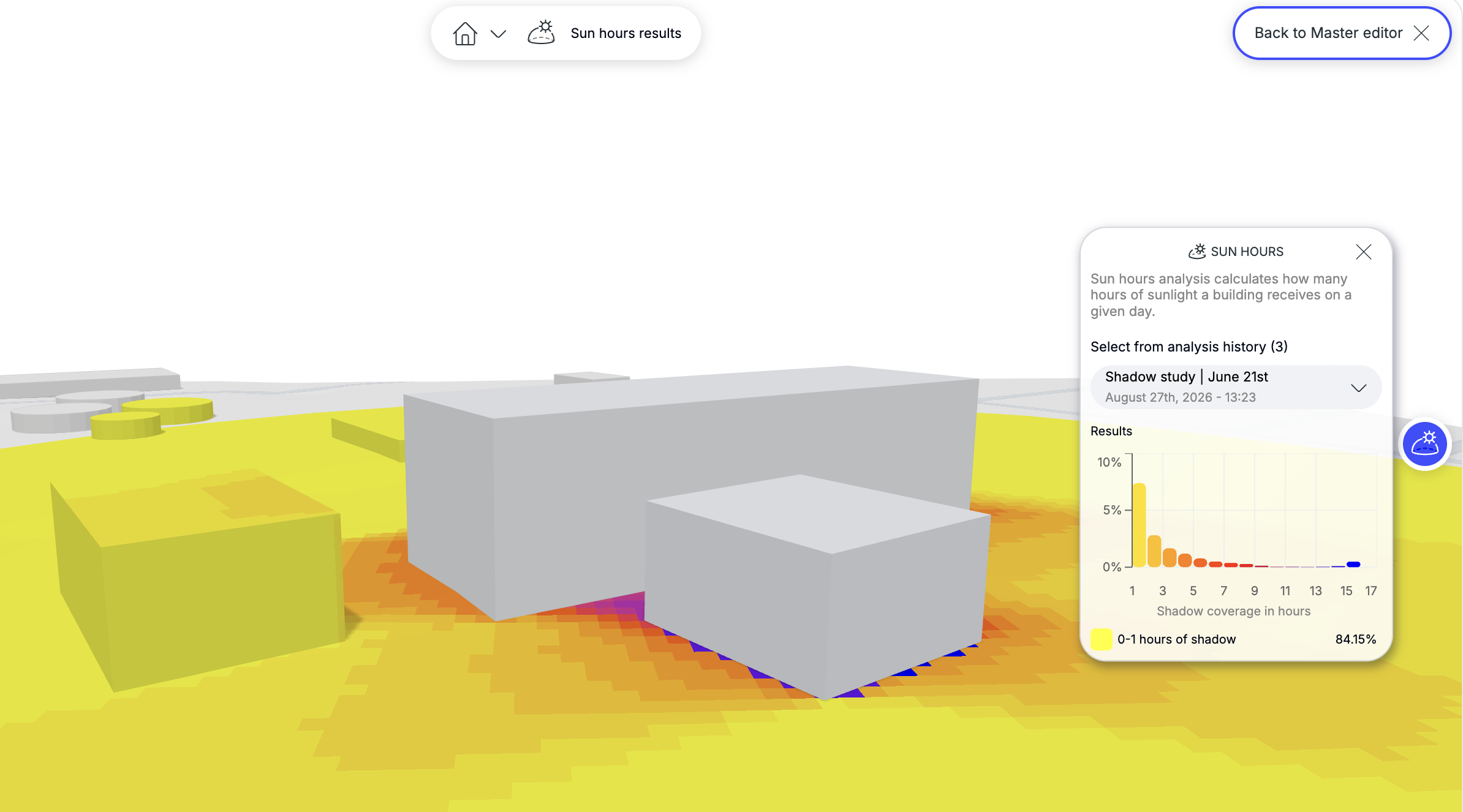
The result of the analysis is a heat-map showing how many hours of shadow fall occur on each surface, as well as a chart displaying these results as both values and percentages.