Add Roof Level
You may wish to add additional levels to your Multi-plane Roof: for example, in creating a mansard roof, you want two roof levels, each with a different pitch.
- Select the Roof.
- In the Multi-plane Geometry panel of Roof Settings, or from the Info Box, click Add to add a new Roof level.
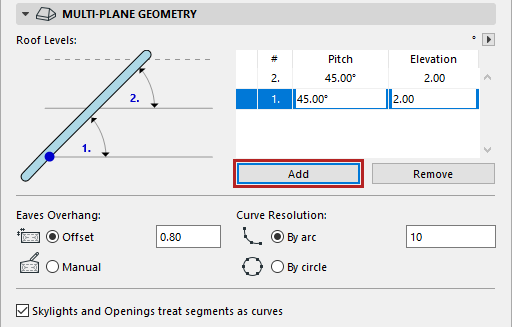
- Adjust the pitches of each level.
- Adjust the elevation of any roof level. For example, the elevation value for Level 1 indicates the elevation at which Level 1 ends (and Level 2 begins).
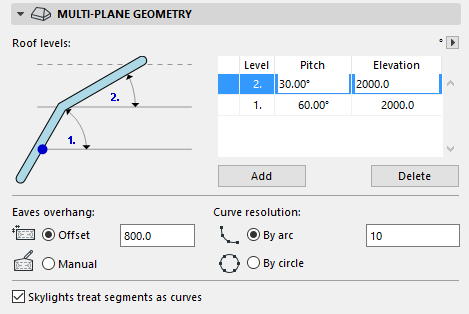
For examples, see Mansard Roof and Gambrel Roof.