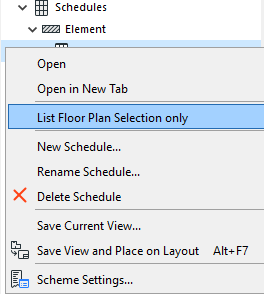
List Floor Plan selection only
This is a quick way to filter elements displayed in the schedule so it’s easier to edit them:
- Select the desired elements (on the Floor Plan only). Use Find and Select if needed.
- Select the desired schedule in the Navigator Project Map or View Map.
- Right-click the schedule name and choose “List Floor Plan Selection Only” to view schedule data for the selected items only.
- The schedule lists only selected elements which also meet the schedule Criteria.