Interactive Schedule
Use Interactive Schedule to generate schedules based on the model.
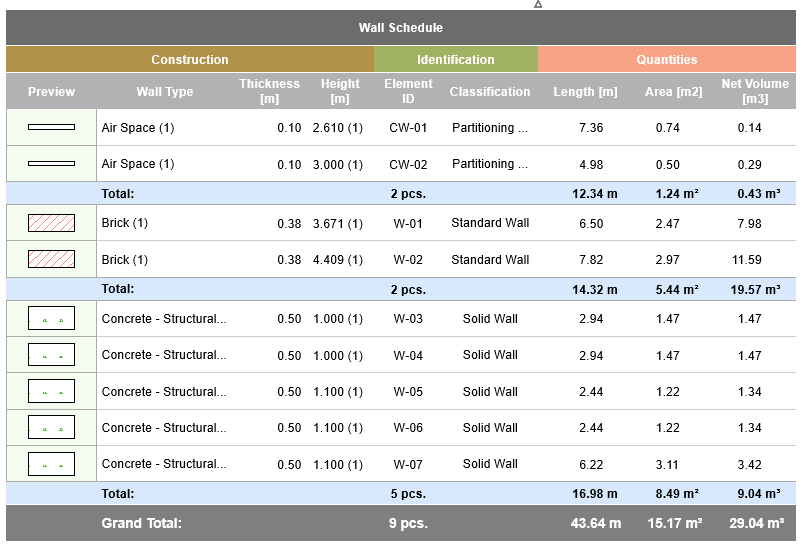
Interactive Schedules are viewpoints of the project and listed in the Navigator.
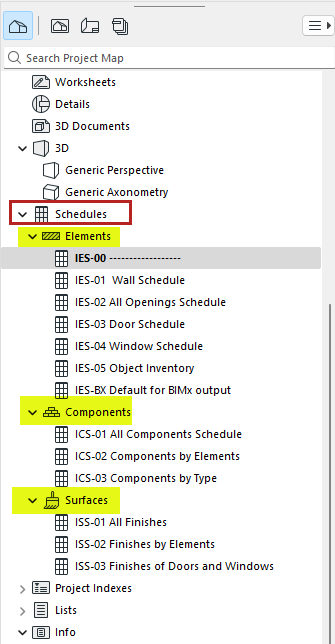
- Element Lists list parameters of elements
- Component Lists list information about each component of composite, profile or basic elements
- Surface Lists list the exterior surfaces of elements
You can:
- Edit values in schedule fields to directly update model element parameters
- Save schedules as views and place them on Layouts
- Save schedules in various other file formats: tabbed text, DWF, .xls, and PDF (in Windows: also .doc)
- Copy-paste schedule into any 2D window (typically a Worksheet) - in this case the schedule becomes a non-interactive 2D object
- Filter the elements, components, or surfaces to be listed, based on criteria