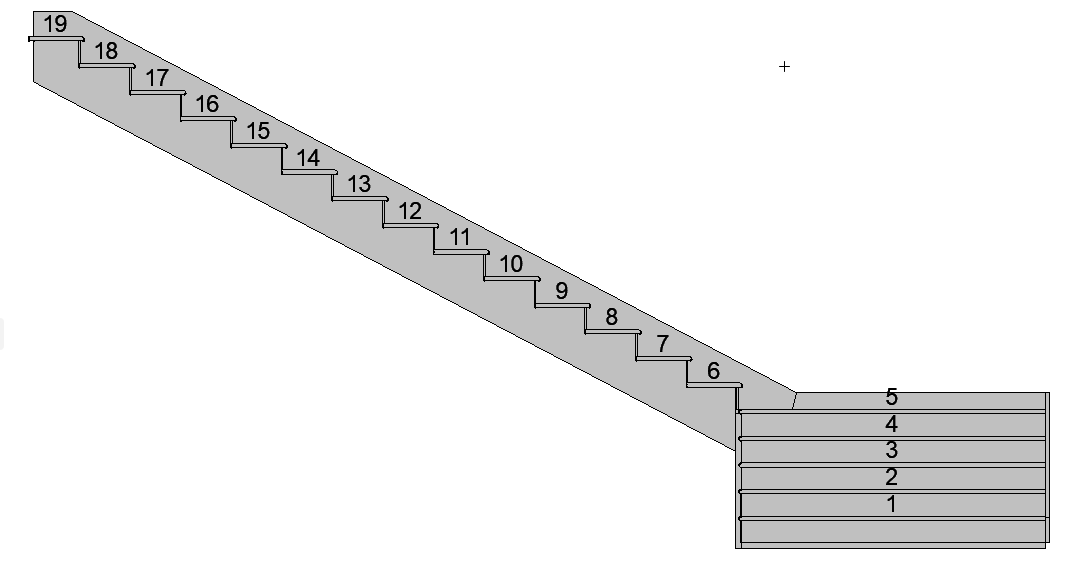
Labeling Stairs
Stair Description and Stair Dimension Labels
These symbol-type Labels are available from Label Tool Settings.
Label Stair Components
- Select the Stair.
- Click Document > Annotation > Label Components of Selected Elements to bring up the dialog box.
- From the pop-up, choose a Label Type: the current default Label, or any of the Label Favorites.
- Check the boxes of all the component types to which you would like to
attach a Label. The Labels will be associative.
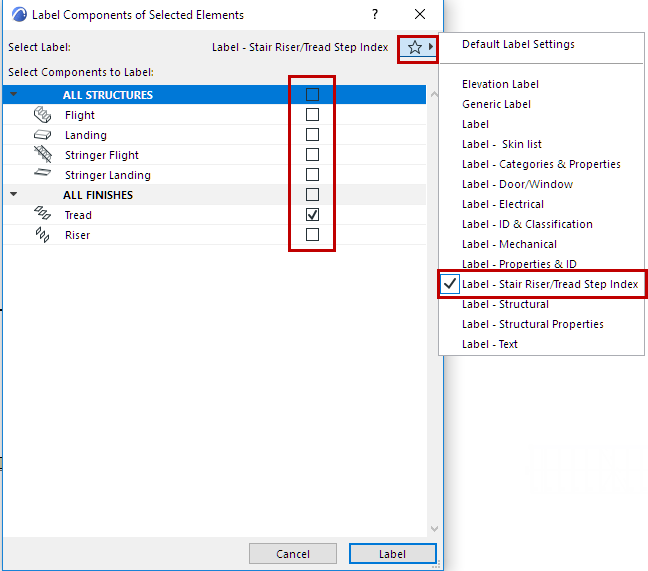
- Click Label to place.