Route Settings - Branch, Positioning, Insulation
Open Route Tool Default Settings.
MEP System
Choose an available MEP System. The MEP System defines the Route’s appearance in 2D and 3D. See MEP Systems .
Note: When you connect a route element to a standalone MEP
object, the route element automatically “inherits” the MEP System of the object’s connection
point.
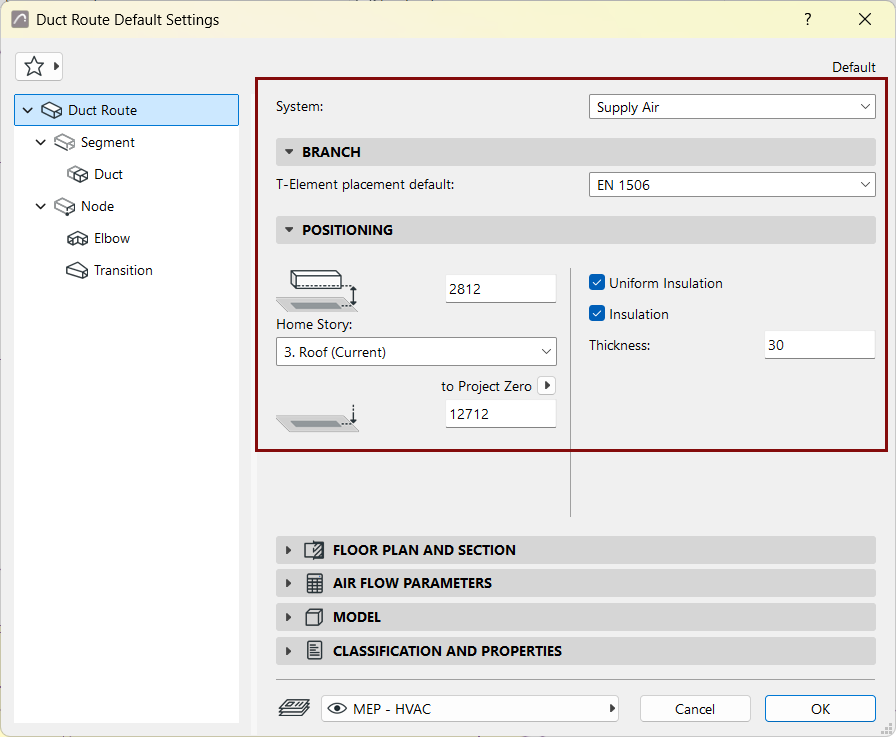
Branch
Under Branch, the default dimension table is given for the route’s T-elements.
See Route Specifications.
Positioning
- Set the Route element’s Home story and offset from the Home story
- Set the Route element’s bottom offset from the chosen Reference level
Uniform Insulation
Check to apply the same insulation value to all parts of the route: Duct, Elbow, and Transition.
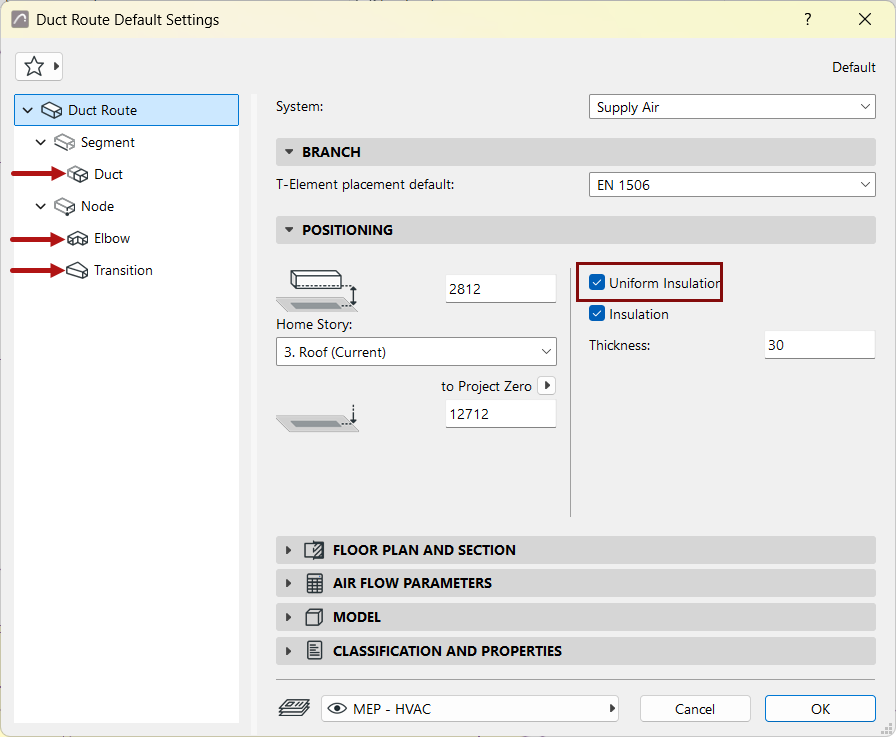
If needed, uncheck the box to set separate insulation values for any part on its own settings page.
Insulation
Check to add an insulating layer to the duct/pipe route’s outside surface. Then enter the insulation’s Thickness value.