Hydronics data (heating, cooling)
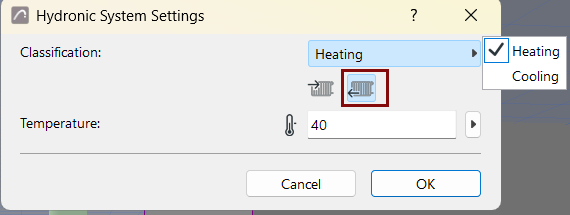
Once you have modeled your heating or cooling system, the related calculation inputs can be defined. The design criteria are set in the equipment settings, while broader system data such as heating or cooling supply and return temperatures are defined in the Hydronic Settings dialog.
- Create hydronic system using pipework elements and equipment
- Enter heating and cooling values for individual hydronic equipment, in
their settings dialogs or the Info Box:
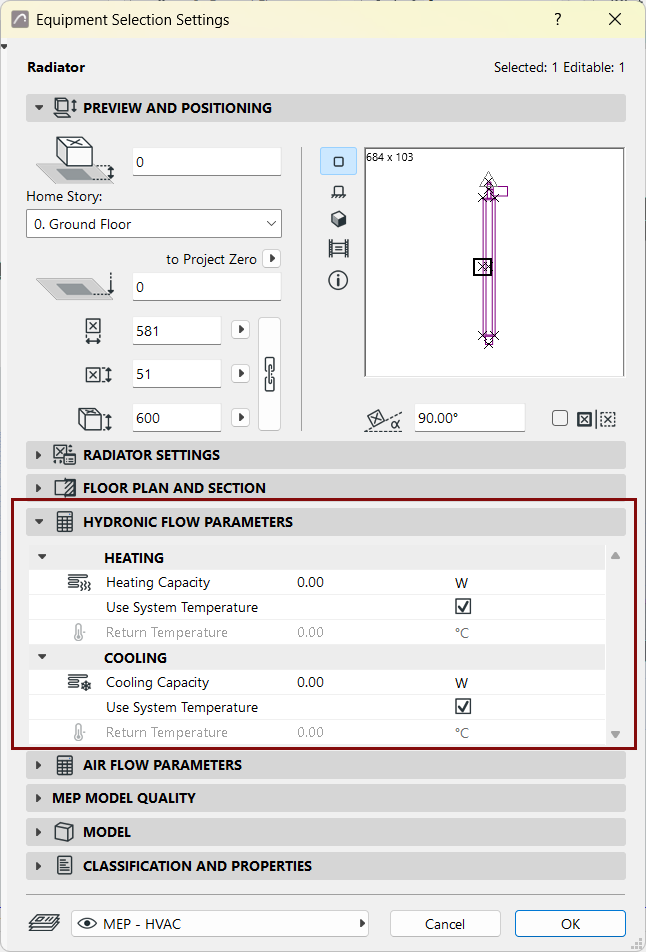
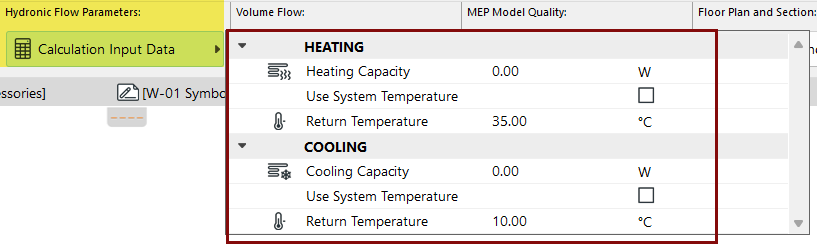
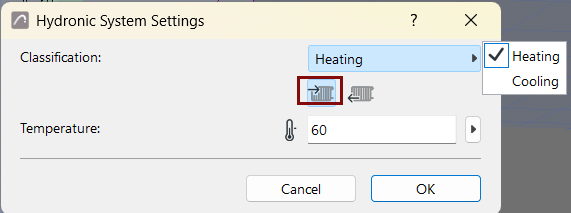
- In Hydronic System Settings: Define temperature requirement (e.g. for supply and return):
- Add hydronic system to System Browser (see Add MEP System to System
Browser)
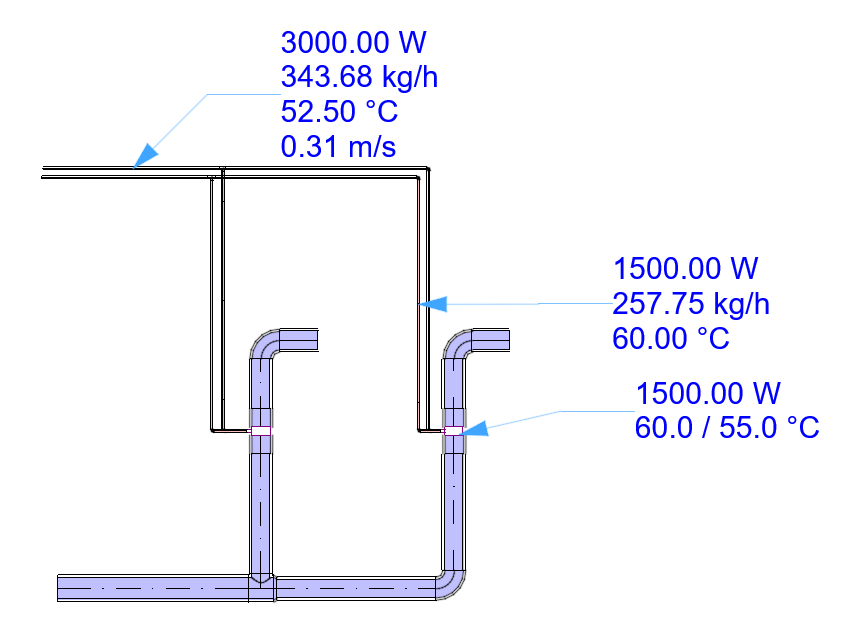
The System Browser displays relevant data for each element: Capacities, Supply and Return temperatures, mass flow, velocity.
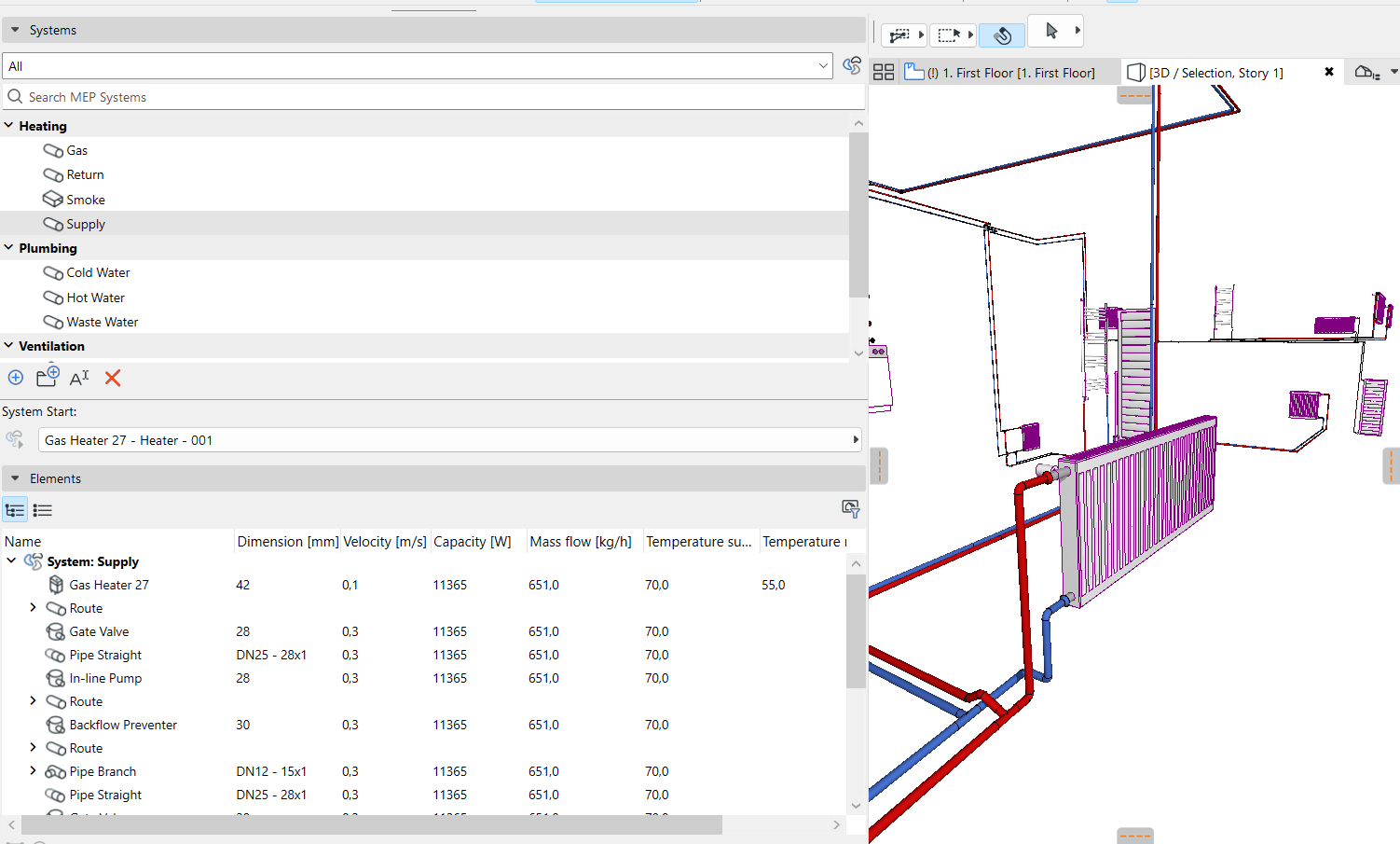
- Optimize pipe dimensions: Based on the data shown in the System Browser, use the Hydronics Optimizer tool to adjust dimensions as needed.
You can display these data for all parts of the system using labels and lists.
Having trouble displaying MEP data?
Sometimes the displayed data (e.g. in labels and schedules) is not refreshed. In this case:
- Make sure you have added the system to the System Browser to trigger the calculation (see Add MEP System to System Browser)
- With nothing selected in the plan, use the context menu command: Rebuild MEP Properties