Create custom MEP part
Use this function to model a custom 3D MEP object if it’s not available in your library - for example, a specific valve or fitting that matches the dimensions and connection logic you need.
- In the Floor Plan or 3D window, use any construction elements (e.g. Wall, Slab, Object, MEP element) to model a custom MEP part.
- If your custom MEP element requires one or more connections, you must
use the MEP Connection object as part of your element. This is available from the MEP Library:
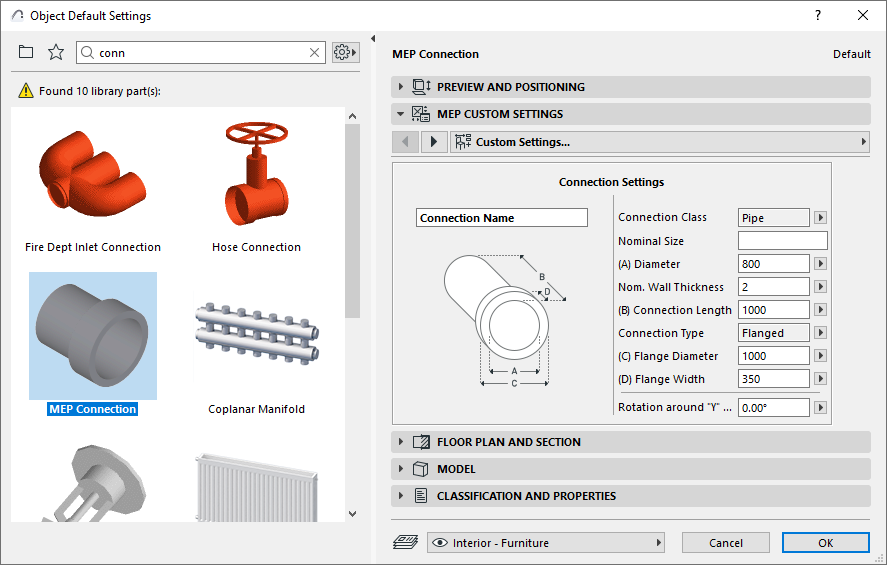
- From the 3D window:
- Use File > Libraries and Objects > Save Selection As > MEP Part
- Click the MEP Part... command from the MEP toolbar
- In the appearing dialog: enter a File Name and destination for the object.
- Choose a subtype from the Type drop-down list:
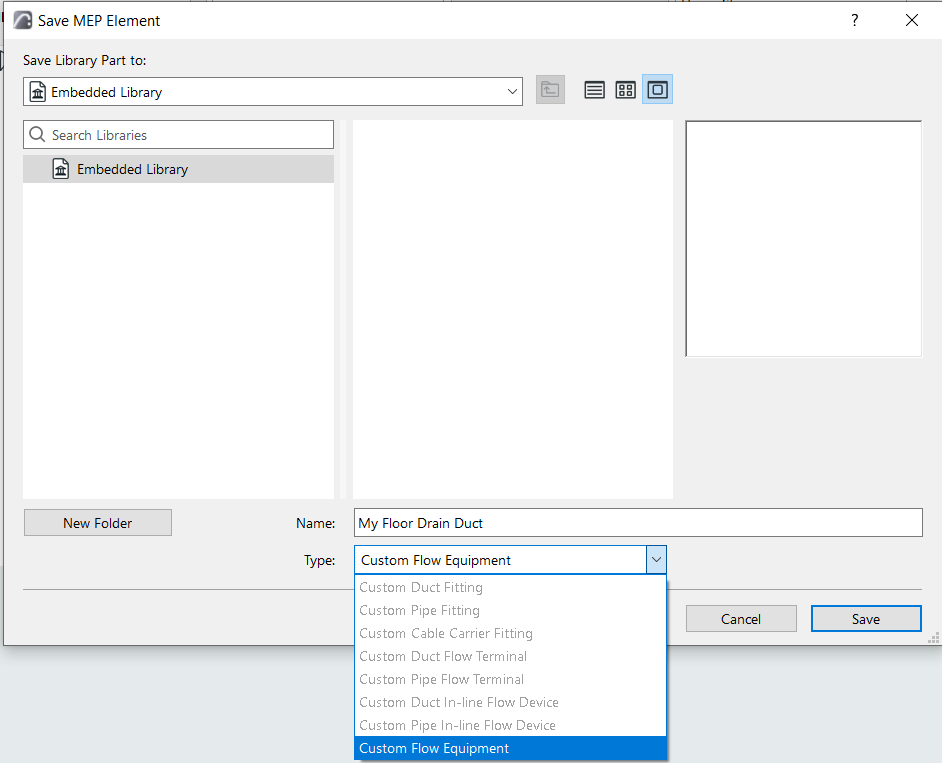
- Click Save. The new MEP object is accessible from the tool settings of the chosen subtype.