Favorites
Save your favorite 2D and 3D views in BIMx
Favorites are a great way to create an engaging, interactive design presentation.
See Play presentation.
Unlike the Gallery (which contains camera positions saved from the Archicad 3D model), Favorites are saved in BIMx from any 2D or 3D item in the Hyper-model, including all the 3D settings the way you like them. You can edit the order and visibility of Favorites presentations easily in BIMx.
Favorites also make it easy to locate frequently used views of your BIMx Hyper-model: When you open a Favorite, its source model or layout is highlighted in the Index.
Unlike Gallery items, which are part of the Hyper-model, Favorites are stored on your computer (BIMx Desktop) or web browser (BIMx Web). So if you share your Hyper-model, Favorites are not included.
Save a Favorite
- Open a 3D model view or layout of your Hyper-model.
- Navigate to the desired position so that you get the exact view you want to present.
- In 3D, set sun position and other Display Settings as needed.
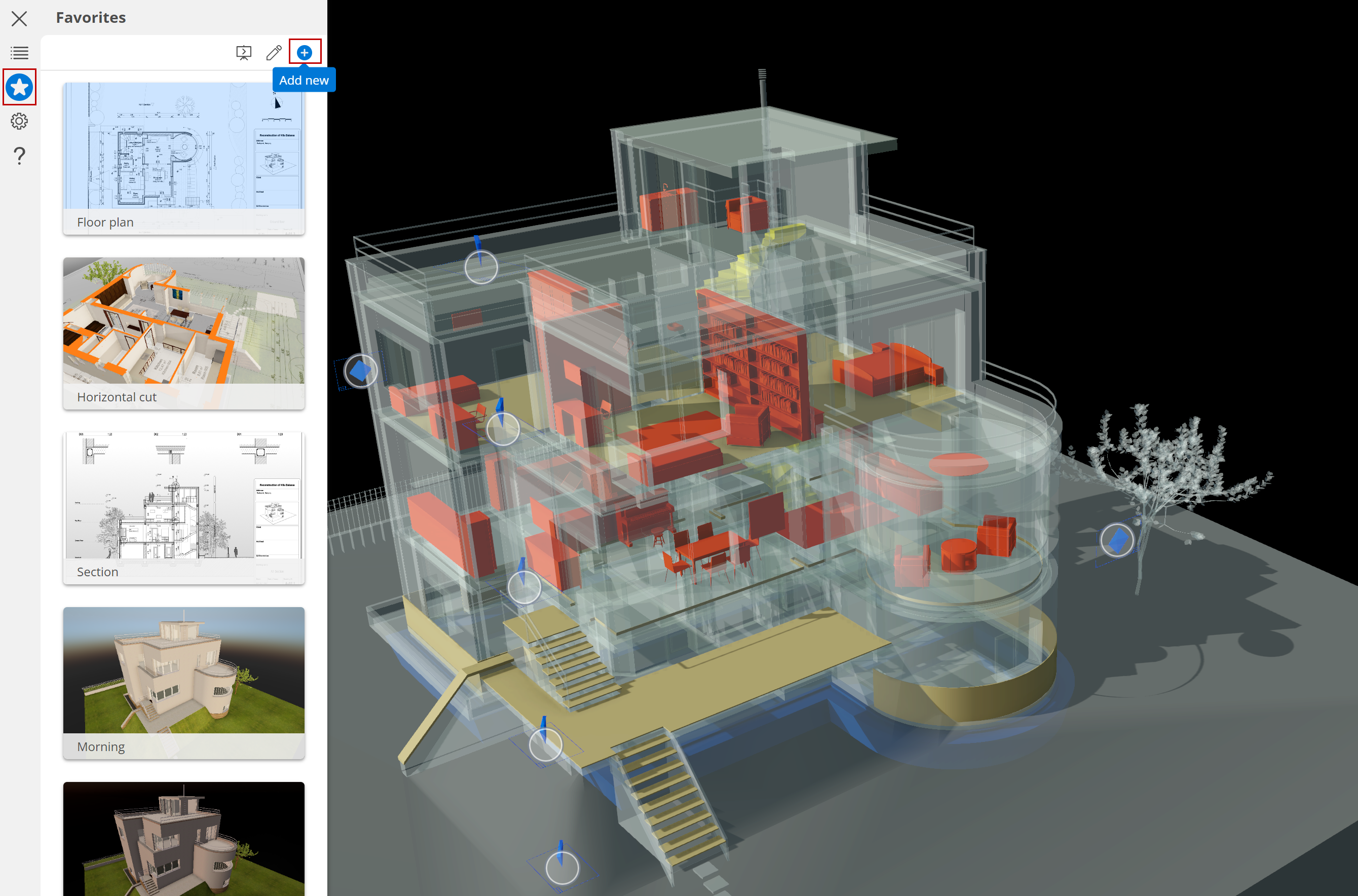
- From the BIMx menu, click the star to open the Favorites palette.
- Click the plus icon to Add new Favorite, based on the current view.
- Name the Favorite and click Save. If you leave it blank, it will be named automatically.
Edit Favorites
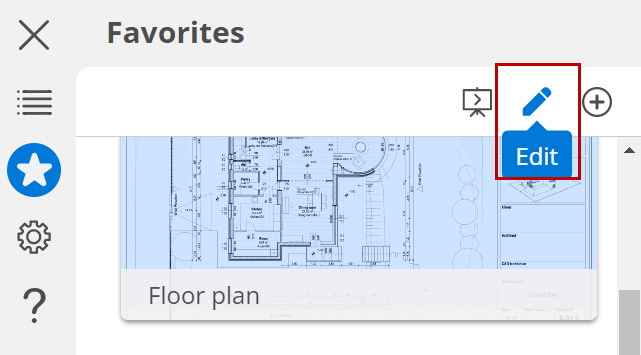
At the top of the Favorites list, click the Edit button.
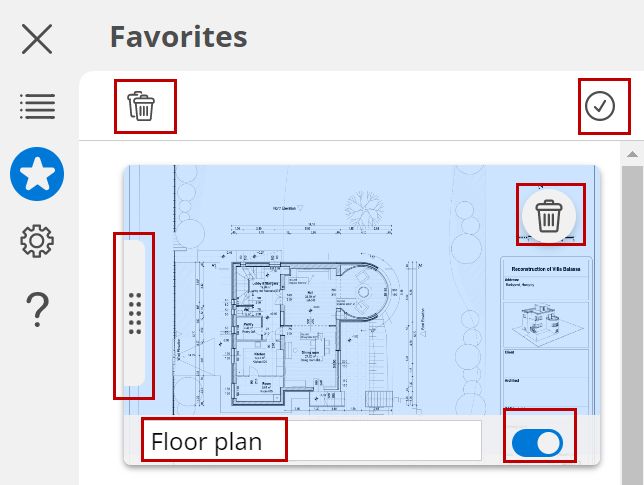
- Rename any Favorite: just type into the name field
- Delete individual Favorites, or Delete all
- Change the order of views by dragging the little grips
- Use the Show/hide toggle to exclude any Favorite from the presentation
- Click the checkmark when you are done editing.
Settings saved with Favorites
Favorite 3D views:
- Camera position
- Shading (Cast shadows, Hidden line, etc.)
- Sun position and shadow intensity
- Camera view cone
- Cut plane
- Traced layout
- Current zoom with blue highlight in the preview image