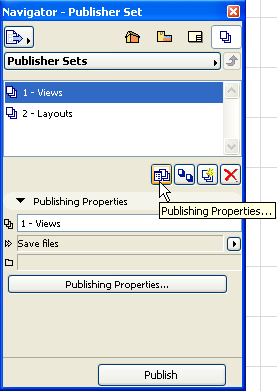
Use the Publisher Set Properties Dialog Box to choose an output format for the Publisher Set.
To open this dialog box, make sure you are viewing the list of Publisher Sets. (Click the “One level up” button.)
•Click the Publishing Properties button in the Navigator or Organizer; or
•Click the Publishing Properties command button among the command icons.
You have three options here:
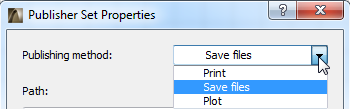
•Save files
•Plot
For details on each option, see Publisher Set Properties Dialog Box.
Choose one of these options, then define the output format.
See also Revisions of Publisher Items.