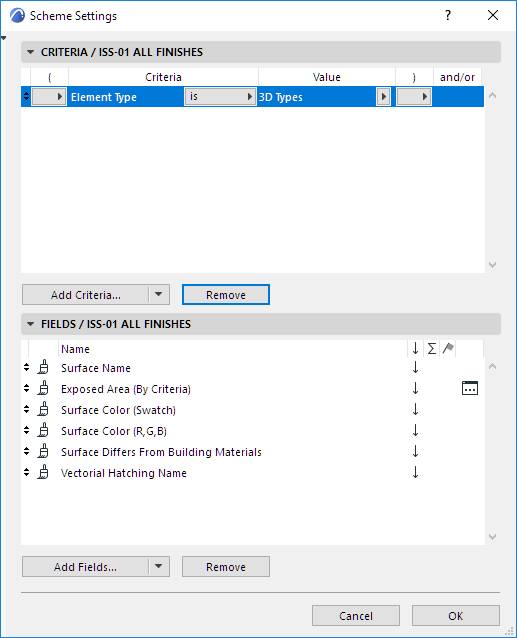
The Surface Schedule is the third type of interactive schedule, alongside Element Lists and Component Lists.
Note: Before using the Surface Schedule feature, make sure you are not working in “legacy” intersection mode. (Uncheck the “Use legacy intersection” box at Options > Project Preferences > Legacy.)
To create a new Surface Schedule: see Create a new schedule. After you click New, choose “Surfaces” from New Schedule Scheme dialog box.
Surface Schedule Fields
In Scheme Settings, use the available fields as needed to adjust the content of your Surface lists.
For details on setting up a scheme, see Schedule contents: Criteria and fields.
Surface Schedule: Predefined schemes