
Use Options > Work Environment > Apply Profile > MEP Engineering Profile.
In the MEP profile:
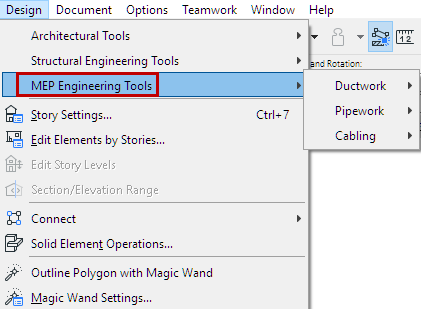
•The toolbox displays the MEP tools (also available from the Design > MEP Engineering tools menu)
•The MEP Toolbar provides shortcuts to frequently used MEP commands
MEP Tools and Commands

MEP Toolbar
On-Screen Options for MEP Modeling
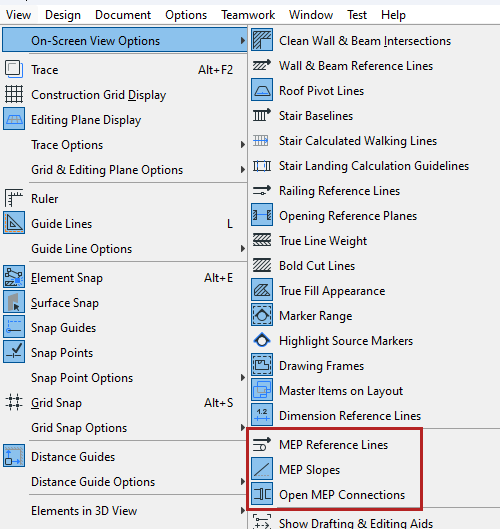
At View > On-Screen View Options: Turn on view toggles to help you create an accurate MEP model:
•MEP Reference Lines
•MEP Slopes
•Open MEP Connections
The same commands are also available from the MEP toolbar:
