Use Element Property for More Precise Material Mapping
You may need to map a single Archicad Building Material to multiple SAF materials. In Structural Analysis applications, various strength grades might be used for the same material type (e.g. Concrete - C20/25, C30/37, etc.).
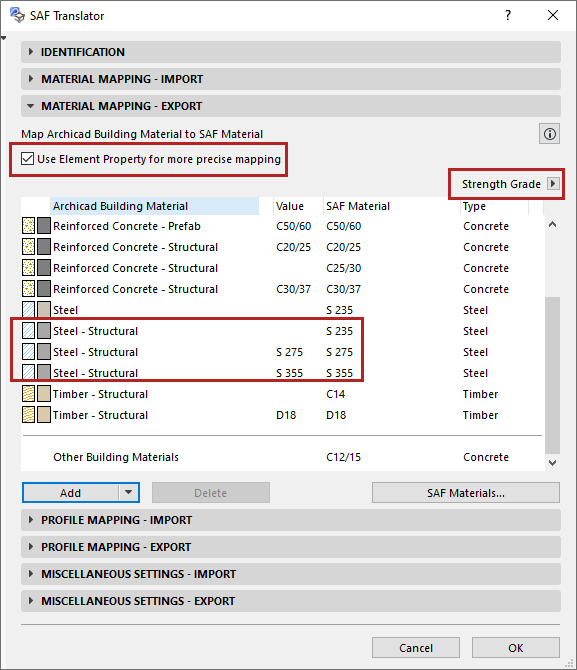
- Check the box to include ‘Use Element Property for more precise mapping’.
- The property selection pop-up is now available. Choose a single Archicad property to differentiate the Building Material (here, Strength Grade).
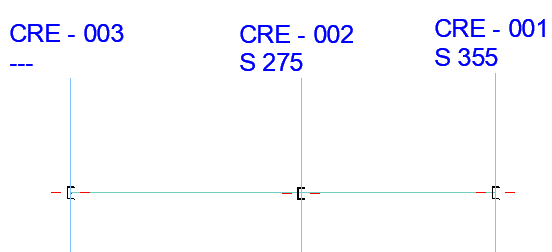
For example, the “Steel - Structural” Building Material in this Archicad model requires three different SAF mapping definitions, to reflect the three different Strength Grade values: S 275, S 355 and undefined.
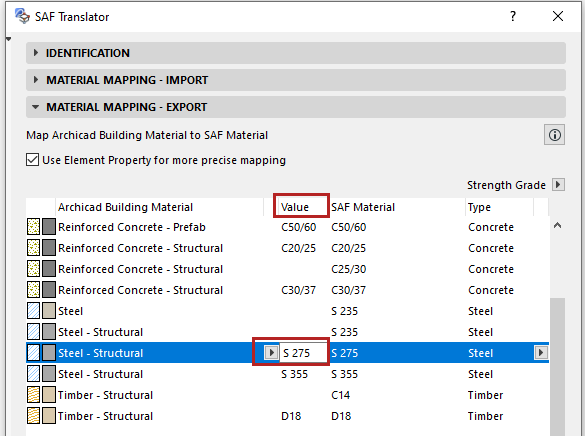
- The “Value” column is added to the mapping rule: Click in the Value field to enter the relevant data (e.g. S 275 or S 355 for the Steel-Structural Building Material).
Important Notes:
- In a given Archicad model, only a single Element Property can be used as a value in SAF Material Mapping.
- Only string-type Element Properties can be used for SAF Material Mapping.
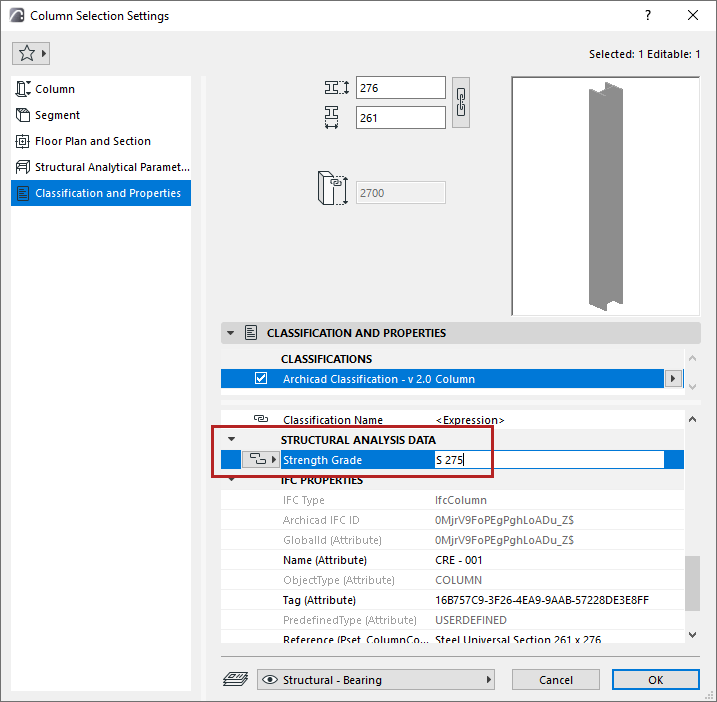
- To map by property value, the property value must be assigned to Archicad elements (e.g. in Beam or Column Settings) - not to Building Materials.
Example: Building Material with various Strength Grade property values
In this model, several Archicad elements use the Steel-Structural Building Material, but with varying values assigned to their Strength Grade property, in the Classification and Properties Panel of Element Settings.