Detail Elements
To use ProKit Detail Elements, you will need:
- The Detail Elements tool added to your Archicad Toolbox
- The ProKit Detail Elements library added to your Archicad project
The related commands for ProKit Detail Elements are available from the Archicad ProKit menu.
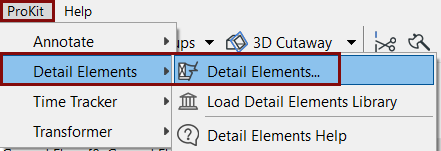
How to Manually add the Detail Element tool to the Toolbox
The ProKit Detail Element tool is a separate tool in the Archicad toolbox.
If you correctly installed the add-on, yet you don't see the Detail Element tool in the toolbox, you can manually add the tool to the toolbox in your current work environment.
- Right-click anywhere on the Archicad toolbox, and choose Toolbox.
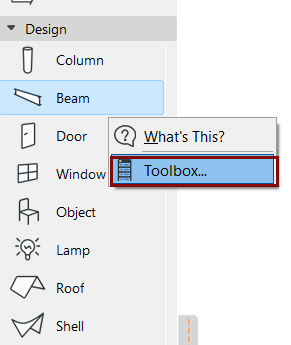
- This opens the Toolbox section of the Work Environment Dialog. Here, add the Detail Element tool to your toolbox:
-
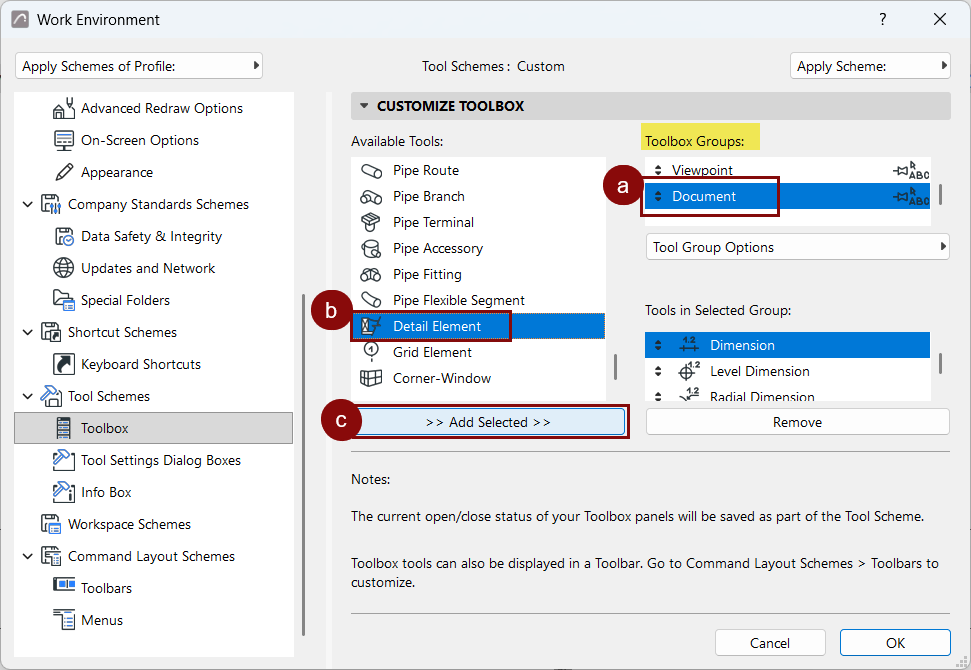
- Select a Toolbox Group (e.g. Document).
- Select the Detail Element tool from the Available Tools list.
- Click the >> Add selected >> button to add the tool, then click OK.