Edit a role
Fine-tune the permissions associated with a role
Go to the Roles page of BIMcloud Manager, and select a role to see its permissions.
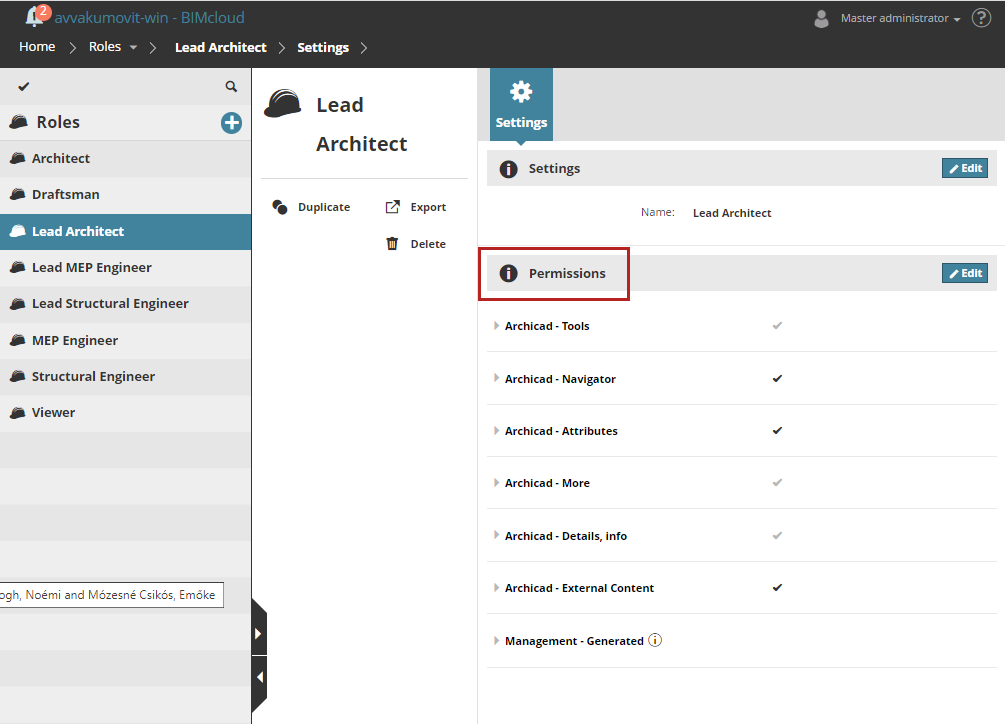
Role permissions are divided into six groups of Archicad-related permissions, plus one group of Management permissions. Click the category headers to expand/minimize the lists in each.
See Archicad-related permissions and Management-related permissions.
For most BIMcloud SaaS setups, it is recommended to assign users to the appropriate default user group(s), rather than creating new ones. Each default group has predefined roles, so once a user is added to a relevant group, they can begin working with the correct permissions.
See Best practices for user groups and roles
Click Edit to edit permissions for the currently selected role.
-
Check/uncheck a box to add or remove permissions .
-
Check/uncheck a permissions group name to add/remove all permissions of that group at once.
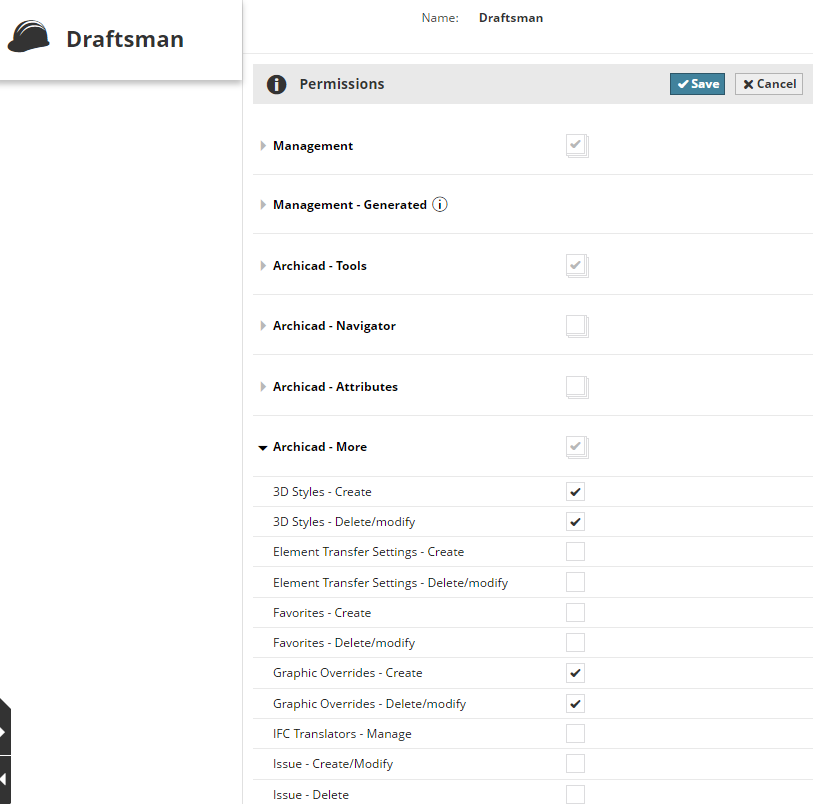
If the checkmark of a permissions group is grey, some (but not all) permissions from that group are enabled.