Switch to cloud licensing
Transition your projects and users for cloud-based licensing
What’s happening?
You will manage your users and cloud licenses in your Company account (instead of locally in the BIMcloud interface)
Your subscriptions will be managed via the new webshop
The process involves relinking your BIMcloud to the new webshop. Graphisoft Support will help you through the process.
Meanwhile, you’ll be alerted to these upcoming changes in BIMcloud Manager. Please check the Projects and Users pages of BIMcloud Manager to see what needs doing.
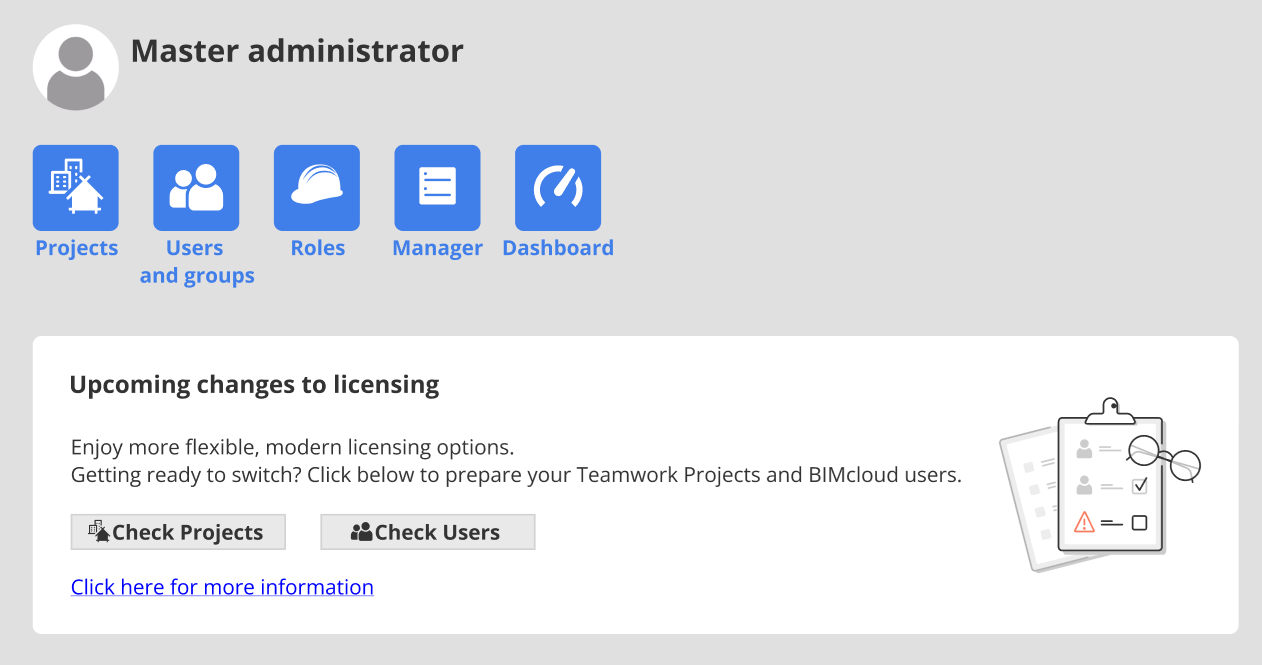
Check Projects page: Migrate legacy projects
BIMcloud SaaS with cloud licenses only supports Teamwork projects from version 22 or later. Therefore, before relinking your BIMcloud to the new webshop, please migrate all older Teamwork projects to Archicad 22 or later.
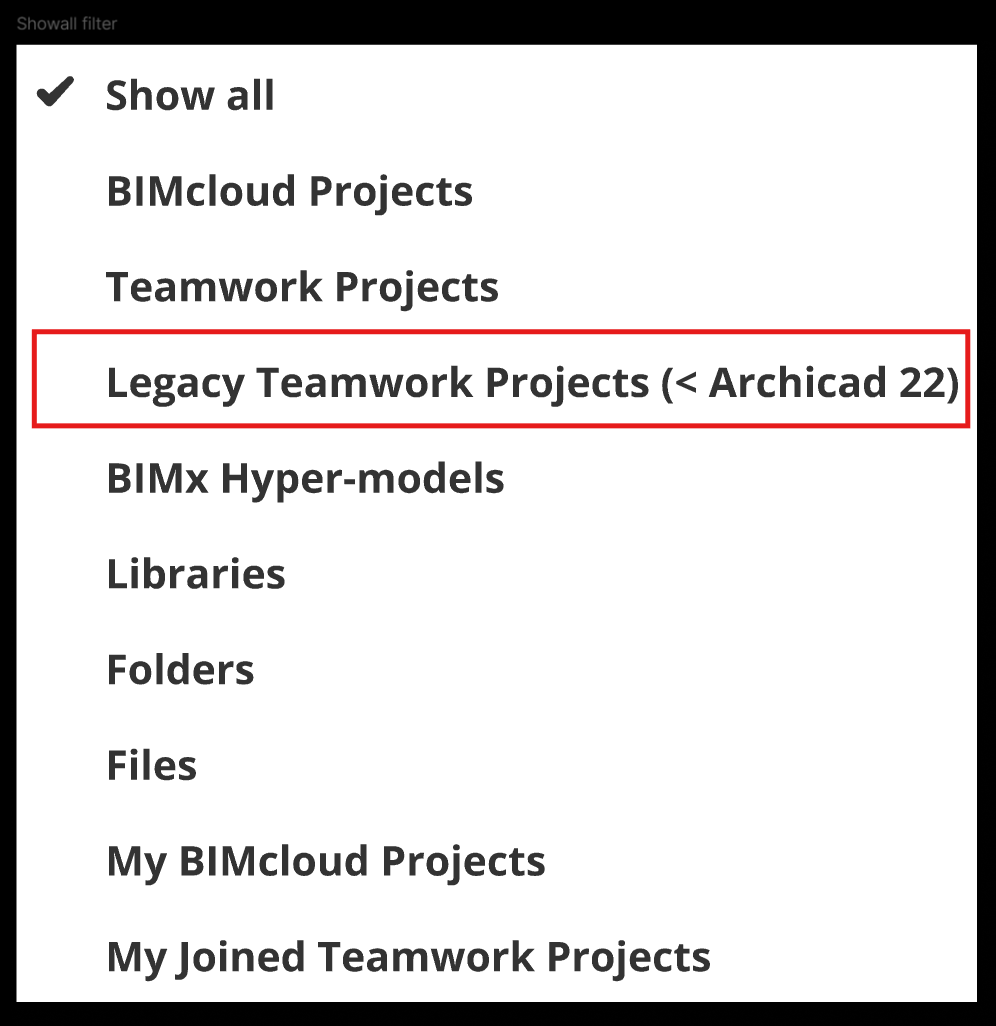
In BIMcloud Manager, check the Projects page: any legacy Teamwork Projects are marked with a red icon.
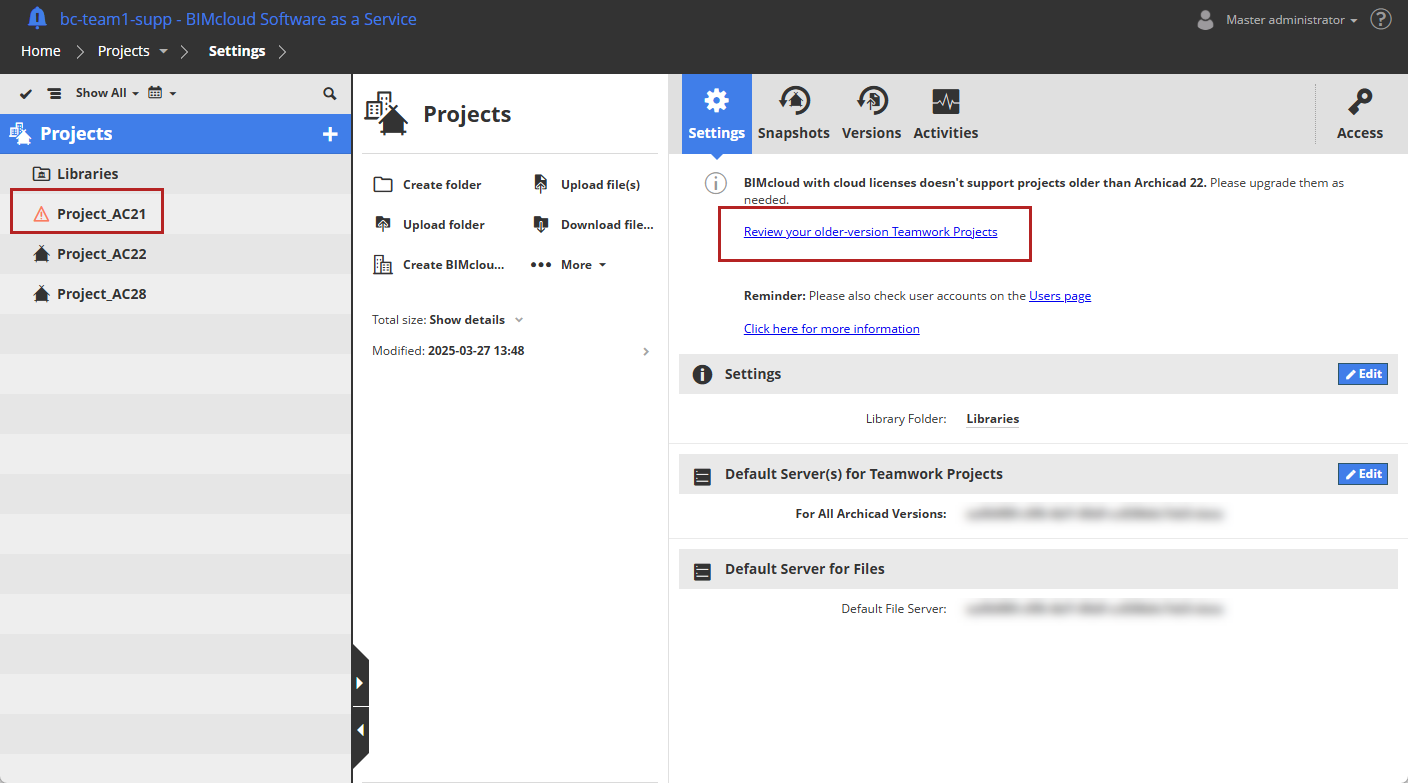
If you will still need this project after relinking your BIMcloud, migrate it to Archicad 22 or later.
If you no longer need to work on a project, you can delete it from BIMcloud, or save it elsewhere for archive purposes.
Check Users page: Transition BIMcloud users
After switching to BIMcloud SaaS with cloud licenses, you will manage your users and cloud licenses in your Company account (instead of locally in the BIMcloud interface).
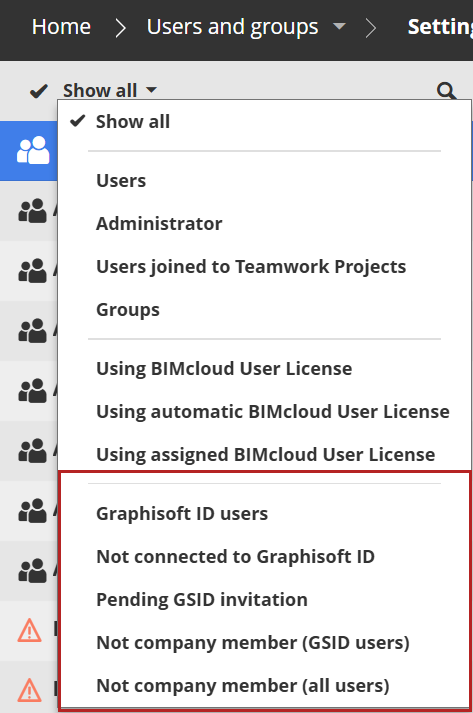
To prepare for this, go to BIMcloud Manager and check the Users page: any users that you still have to transition are marked with a red icon.
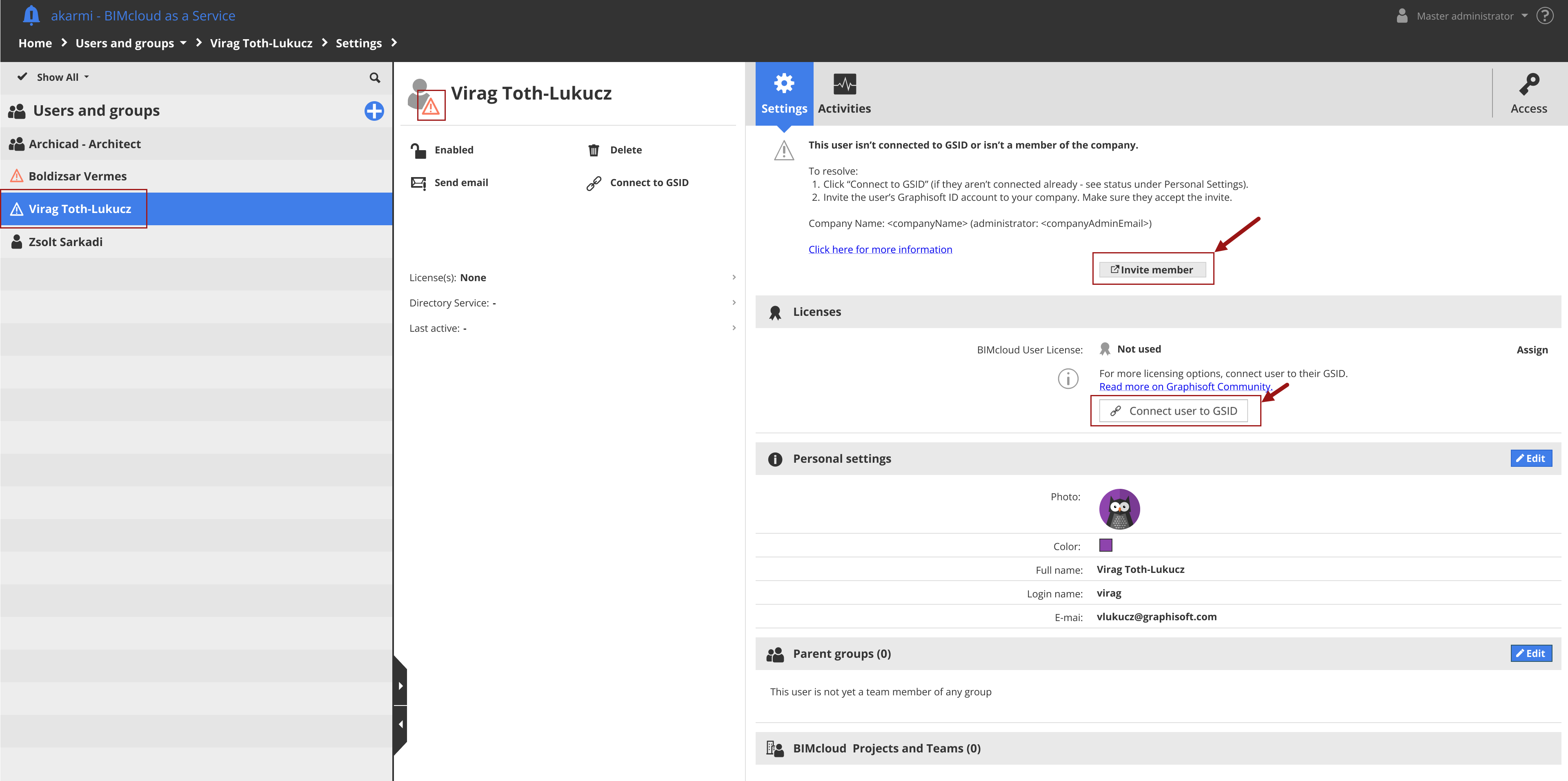
All your BIMcloud users must be connected to their Graphisoft account (GSID). For users not yet connected: Click “Connect user to GSID”.
All your BIMcloud users must be invited to be members of your Company account. For users who are not yet members: click “Invite member” to open your Graphisoft Company account and send invitations.