Managing licenses in BIMcloud Manager (Key-based licensing)
BIMcloud SaaS with key-based licenses
If you have a traditional BIMcloud SaaS licensing setup (instead of cloud licenses), you manage licenses in BIMcloud Manager, as described below.
License types
- Automatic (“floating”) license: Reserved for each user automatically (“floating”) from your license pool when they need it to start working in Teamwork or other BIMcloud functions. They use this BIMcloud license until they leave the Teamwork project.
- Assign license manually: Assigned manually on your local BIMcloud. Remains permanently assigned to the user even after they close all projects on the BIMcloud or go offline
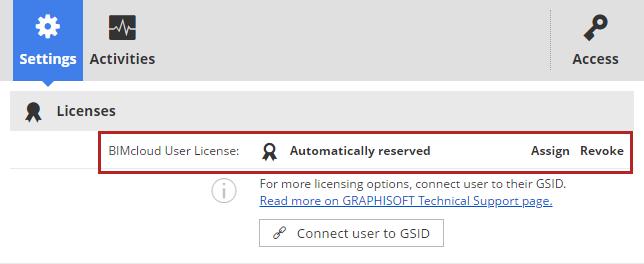
An Administrator can Revoke a manually assigned license for any user, in BIMcloud Manager (either the Users and groups page - Settings Panel, or the Servers page - BIMcloud Manager - Settings Panel). If available, an automatic license is then reserved for this user.
You can filter your user list by their license type on the Users page: see Filter user list.
Where to manage licenses
Users and groups page - User Settings
Manager page - Licenses panel
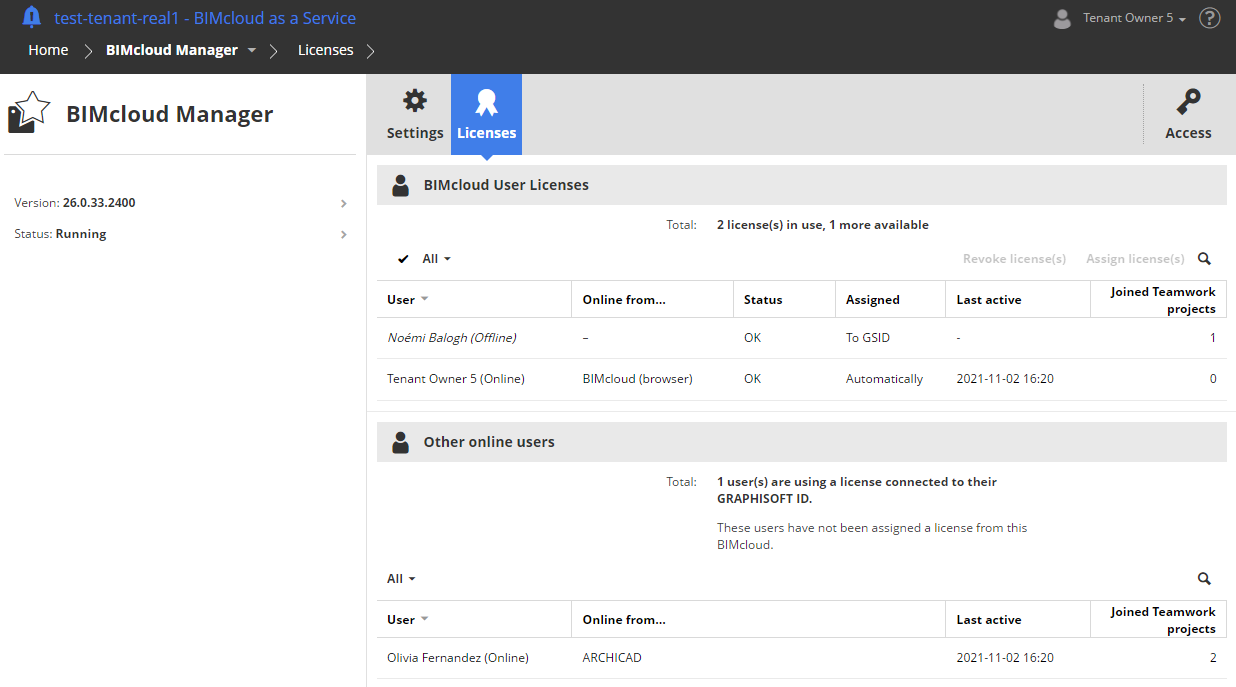
For GSID users, additional licensing options are available: See More license options for GSID users (Key-based licensing).
See also the Community article: Licensing on BIMcloud SaaS.