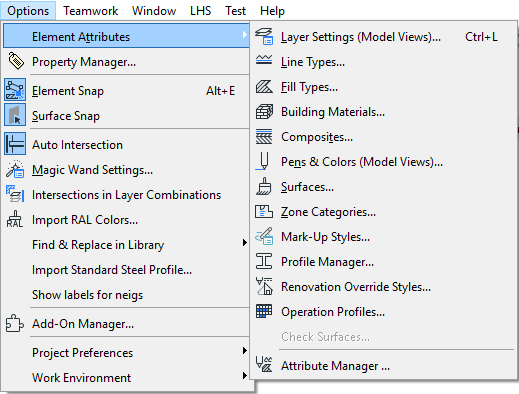
ARCHICAD Attributes are groups of defined settings available to your project. For example, Line Types and Surfaces are Attributes which you can apply to many project elements as you create them. What you see in these pop-up settings menus are defined in the Attribute sub-dialogs, accessible through Options > Element Attributes.
ARCHICAD comes with a default set of Attributes. For most users, these default attribute sets are amply suited to their design needs.
Note: If you have installed MEP Modeler, the MEP Systems attributes are also available.
See the MEP Modeler User Guide for more information on this add-on.
If you wish, you can customize Attributes or create new ones. For example, you can draw a new fill type, or customize a default surface to give it a new look.
Attributes are saved with your project, so if you open the project on a different computer, your customized Attributes are available.
If you delete an Attribute (using the relevant dialog box, at Options > Element Attributes), this can have consequences for any elements in the project that used it. ARCHICAD gives you feedback and a replacement option to ensure a smooth workflow.
To open and (if needed) edit Attribute sets, use the commands from Options > Element Attributes. Each attribute type is described in detail here:
Delete and Replace Attributes in a Model
Custom Attributes of GDL Objects
Reservation in Attribute Manager; Reserve All Attributes (Teamwork)