Railing Settings: Overview
Click the Railing Tool icon to open its main Settings page, whose left side displays a detailed tree.
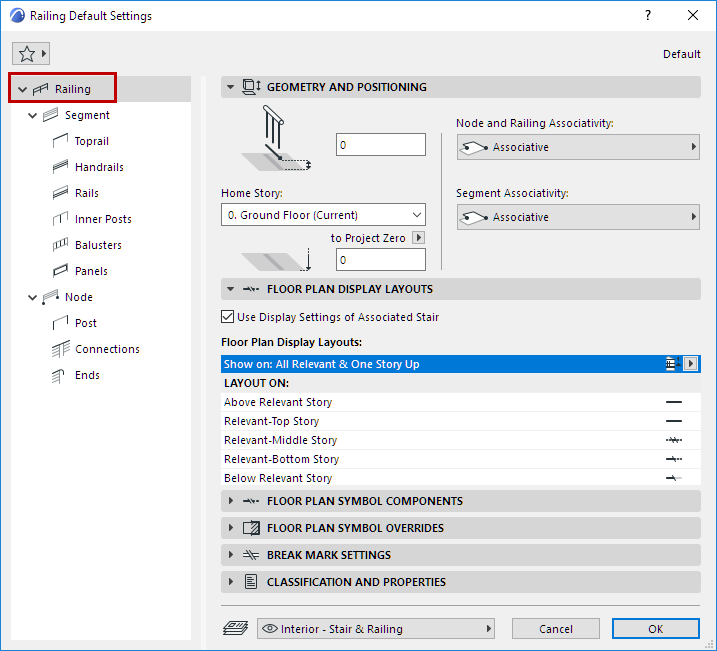
Each control of this main page is described at Railing Settings: Geometry and Symbol Display.
The two main components, listed in the tree, are Segments and Nodes. Set the parameters specific to Segments and Nodes on their respective pages.
- A Segment is the part of the Railing between two Nodes (like a segment of a polyline). A Segment has its own settings, which include the Railing Pattern and Segment Height.
- Nodes are the points that divide the Railing Segments (like points on a polyline). One or more Posts are located at each Node.
See Node Settings (Railing Tool).
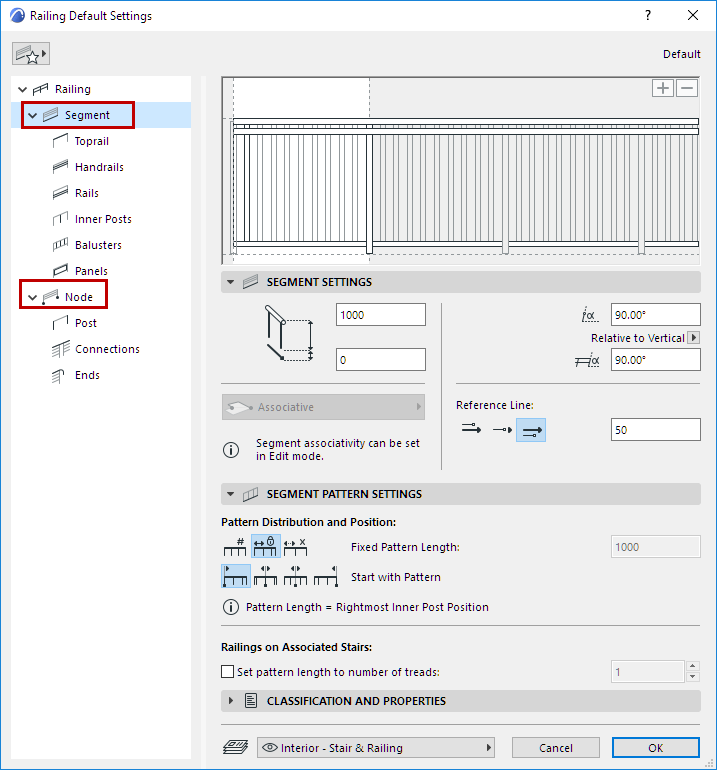
The sub-pages under Segment and Node allow you to further specify the Railing components (e.g. Rails, Posts, Panels).
Railing Settings: Geometry and Symbol Display
Segment Settings (Railing Tool)
Toprail Settings (Railing Tool)
Handrail Settings (Railing Tool)
Inner Post Settings (Railing Tool)
Baluster Settings (Railing Tool)