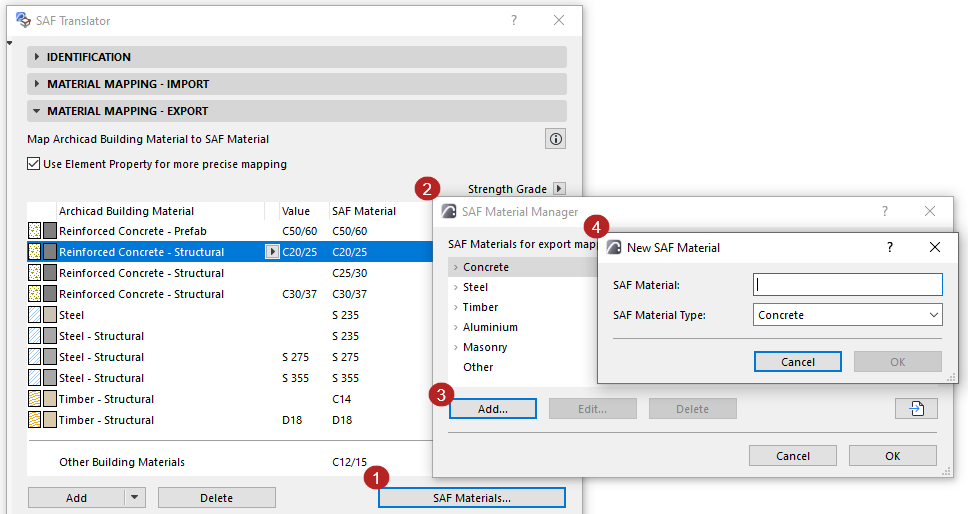
Add More SAF Materials to Mapping List (Export to SAF)
In the Material Mapping - Export panel of the SAF Translator:
There are two ways to expand the browsable list of SAF Materials: Import a file, or add by hand.
Import SAF Material List from SAF File
This is the preferred method, because you can avoid typing errors.
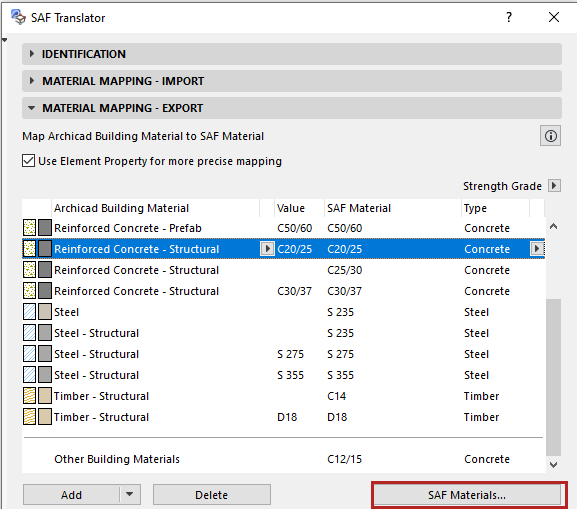
- Click SAF Materials.
- Click the Import button.
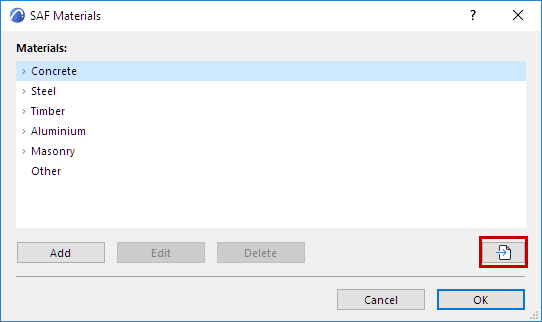
- Browse for an.xlsx (SAF) file prepared for this purpose. (It should contain the list of Materials used by the receiving structural analytical program.)
See Prepare and export a SAF Data File to ensure standard mapping.
- As needed, select and edit any of the materials.
- Click OK. The chosen SAF file’s Materials are automatically added to the SAF Material list in Archicad’s SAF Translator dialog.
Add or Edit SAF Materials Manually