Prepare and export a SAF Data File to ensure standard mapping
You can also create your own SAF data file based on the external software.
Use this method if your project uses a limited number of specific SAF Materials/Cross Sections. This way you can easily access the exact Material/Profile names used in the external software.
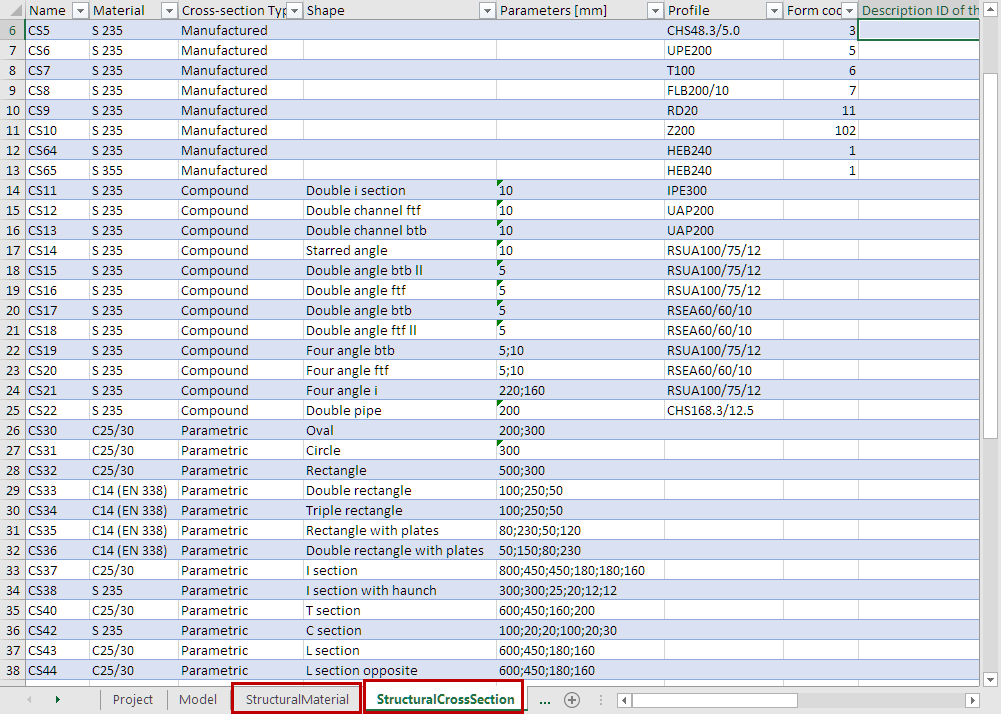
In the external software, create a file that contains all the SAF Materials and SAF Cross Sections used by the external software (e.g. SCIA Engineer or RISA-3D). Then export the file as SAF (*.xls).(This saved file does not need to contain any actual structural Members, just the SAF Cross Section and material lists.)
Now you can import or merge the file in the relevant SAF Translator dialog.
See these sections:
Add More SAF Materials to Mapping List (Export to SAF)
Add More SAF Cross Sections to Mapping List (Export to SAF)
Add More SAF Cross Sections (Import SAF)
Mapping Imported “General” or “Parametric” SAF Cross Sections