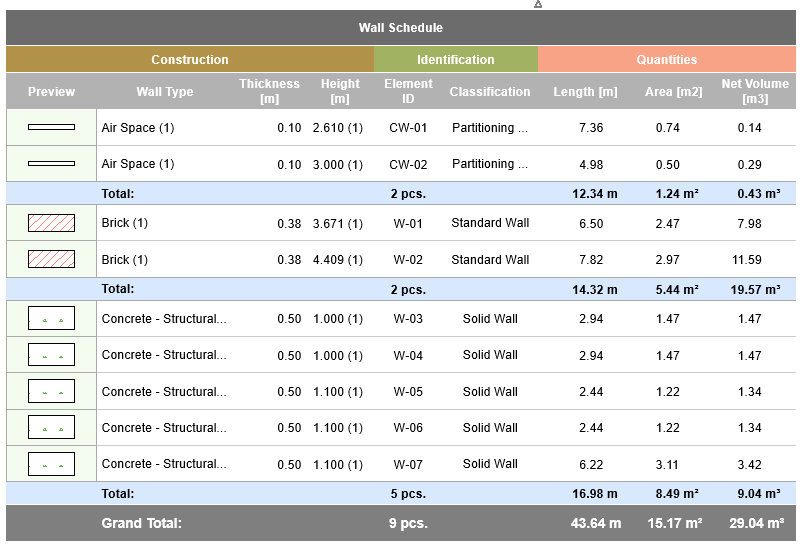
Use Interactive Schedule to generate schedules based on the model.
Interactive Schedules are viewpoints of the project and listed in the Navigator.
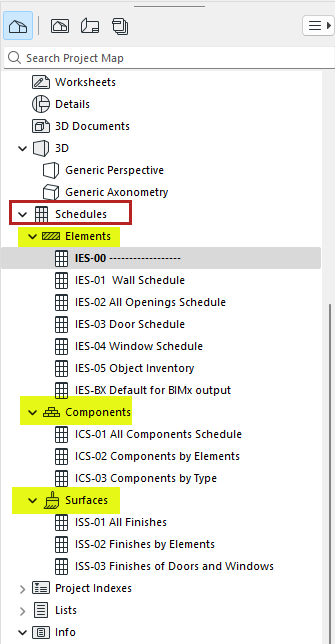
•Element Lists list parameters of elements
•Component Lists list information about each component of composite, profile or basic elements
•Surface Lists list the exterior surfaces of elements
You can:
•Edit values in schedule fields to directly update model element parameters
•Save schedules as views and place them on Layouts
•Save schedules in various other file formats: tabbed text, DWF, .xls, and PDF (in Windows: also .doc)
•Copy-paste schedule into any 2D window (typically a Worksheet) - in this case the schedule becomes a non-interactive 2D object
•Filter the elements, components, or surfaces to be listed, based on criteria
Create or open Interactive Schedule
Units in Interactive Schedules
Schedule contents: Criteria and fields
Schedule contents: Sorting, totals, headers, custom fields
Displaying values in merged fields
Schedule display: Rows vs. columns, resize, zoom, hide
Schedule formatting: Text and colors
Previews and Pictures in the Interactive Schedule
Edit the model using Interactive Schedule
Define schedule fields for BIMx Info
Related Topics:
For Teamwork users: