MEP Designer 30 Help
Click here to see this page in full context
  1. Home >
  2. Views of the Virtual Building >
  3. Model View Options >
  4. Define Model View Options

Define Model View Options

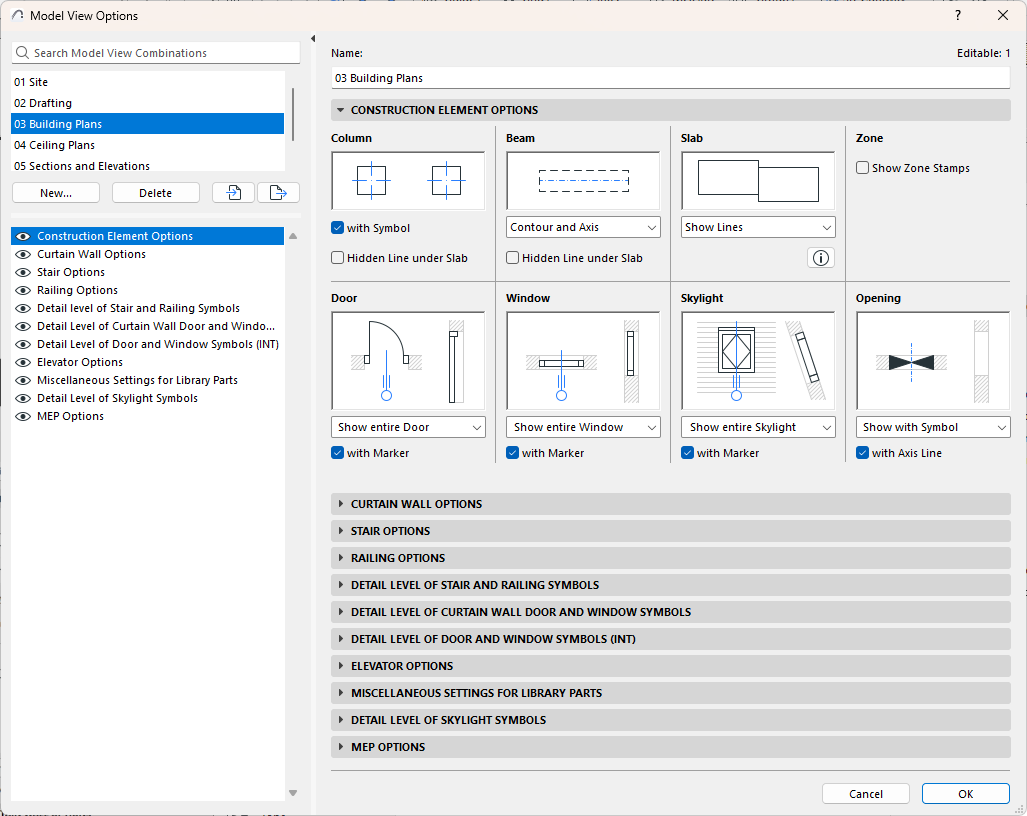
Use the following panels at Document > Model View > Model View Options:

ModelViewOptions.png

Construction Element Options

Model View Options for Curtain Walls

Stair Options

Railing Options

Detail Level of Stair and Railing Symbols

Detail Level of Curtain Wall Door and Window Symbols

Detail Level of Door and Window Symbols

Elevator Options

Miscellaneous Settings for Library Parts

MEP Options

Parent topic: Model View Options
Copyright © 2026 by Graphisoft. All rights reserved. Graphisoft is part of the Nemetschek Group